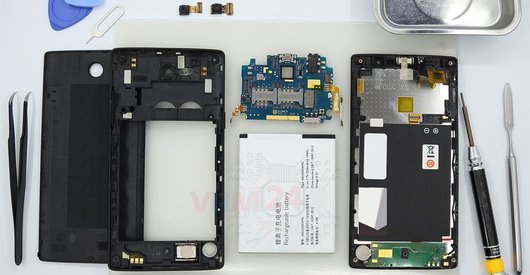


Recommended tools
Screwdriver Phillips #000

Opening tool / Spudger

Tweezers

Disassembly/Repair of the mobile device Philips Xenium I928 with each step description and the required set of tools.
4847
Views
0
Likes
—
Share
4
Questions

Step 1.
Open the back cover
Open the back cover.
Step 2.
Remove the battery
Lift and remove the battery.
Step 3.
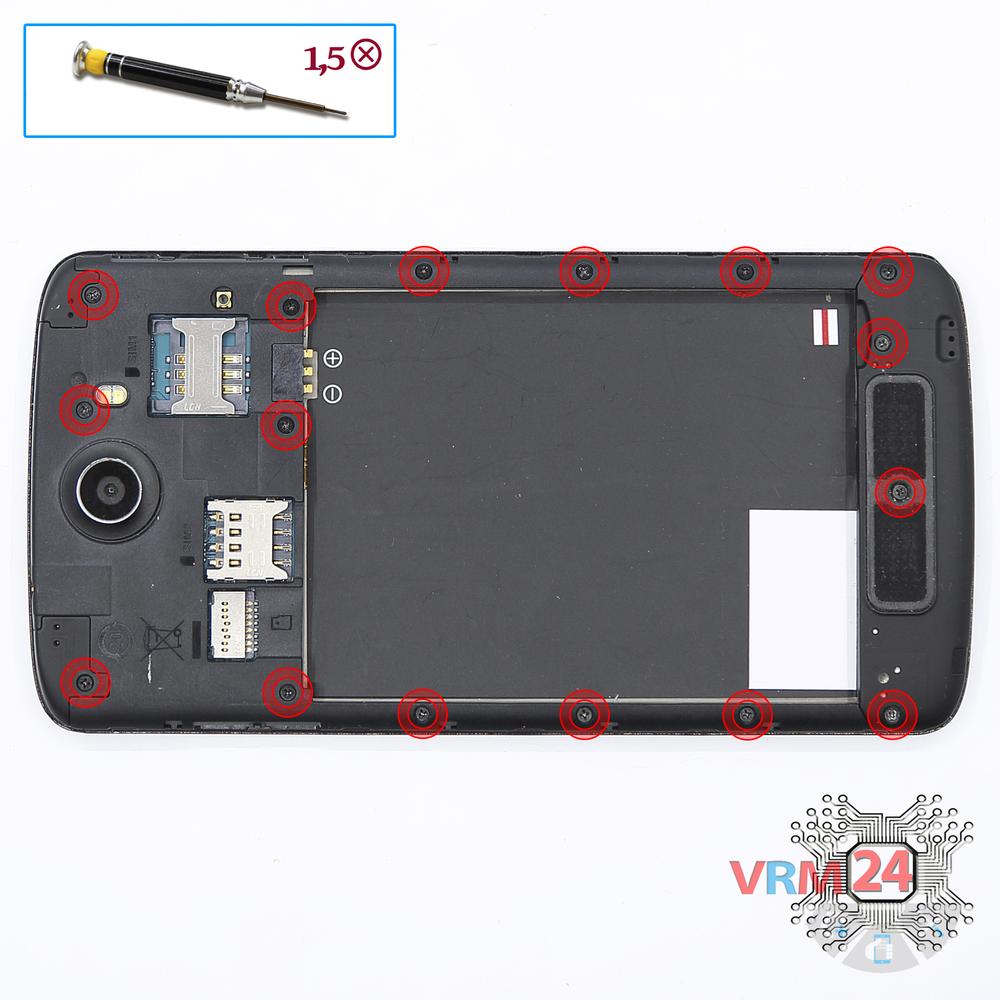
Unscrew the screws
Using a screwdriver (Phillips 1.5 mm PH000), unscrew 16 bolts in the frame of the phone.
Step 4.
Remove the loudspeaker
Pry and remove the buzzers (speakers) assembly.
Step 5.
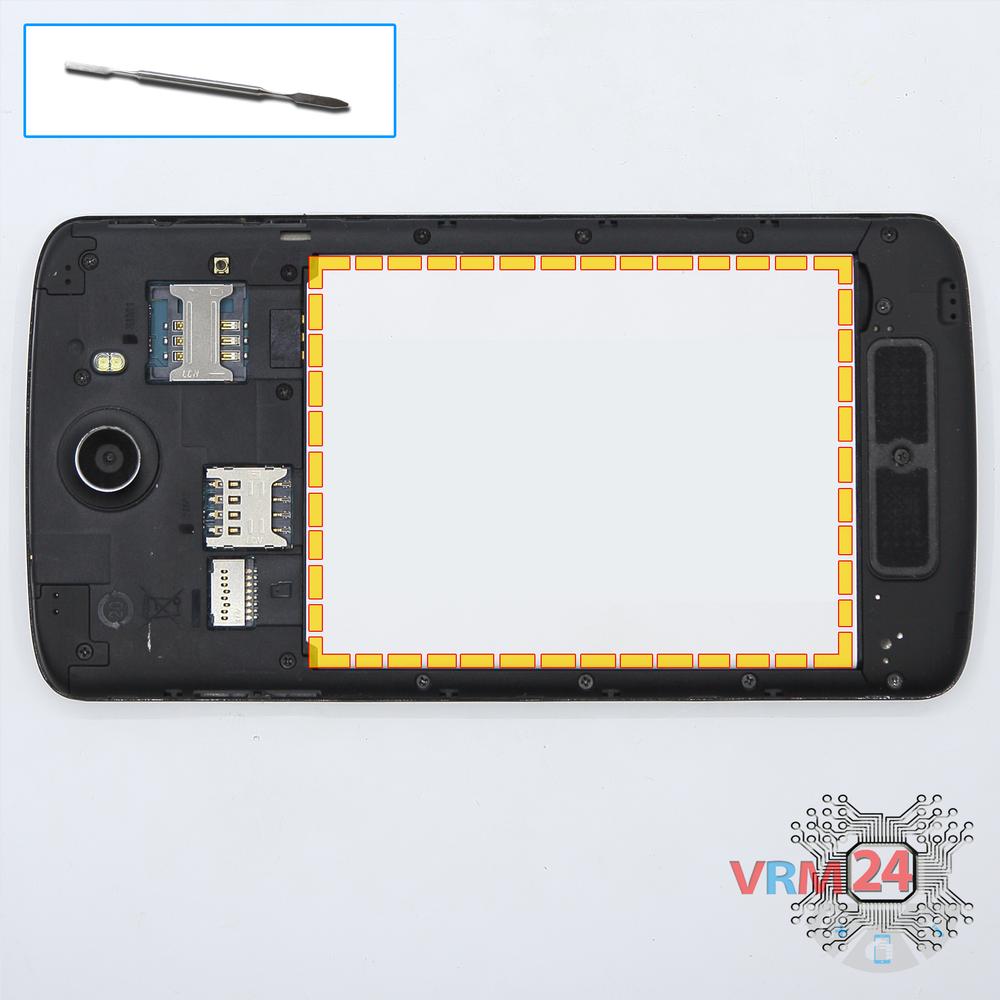
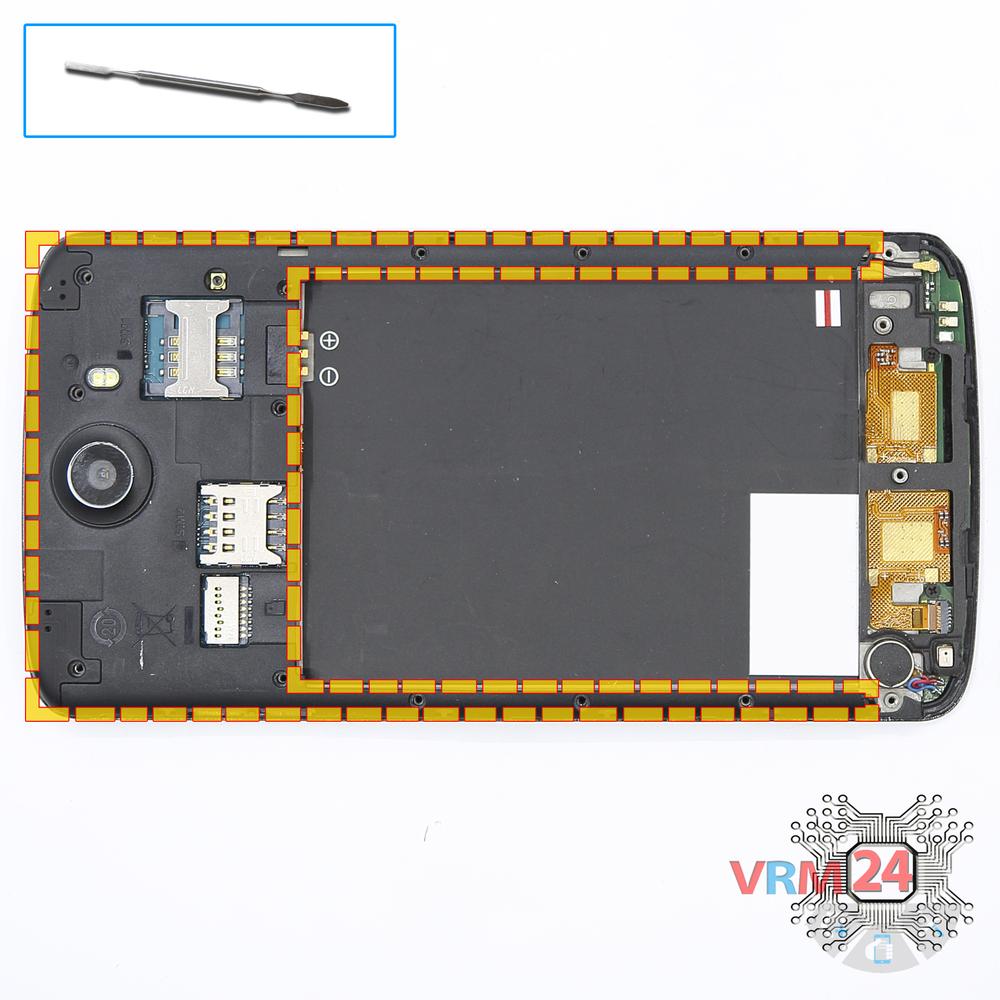
Open the mid-frame
Pry and remove the middle frame.
Step 6.
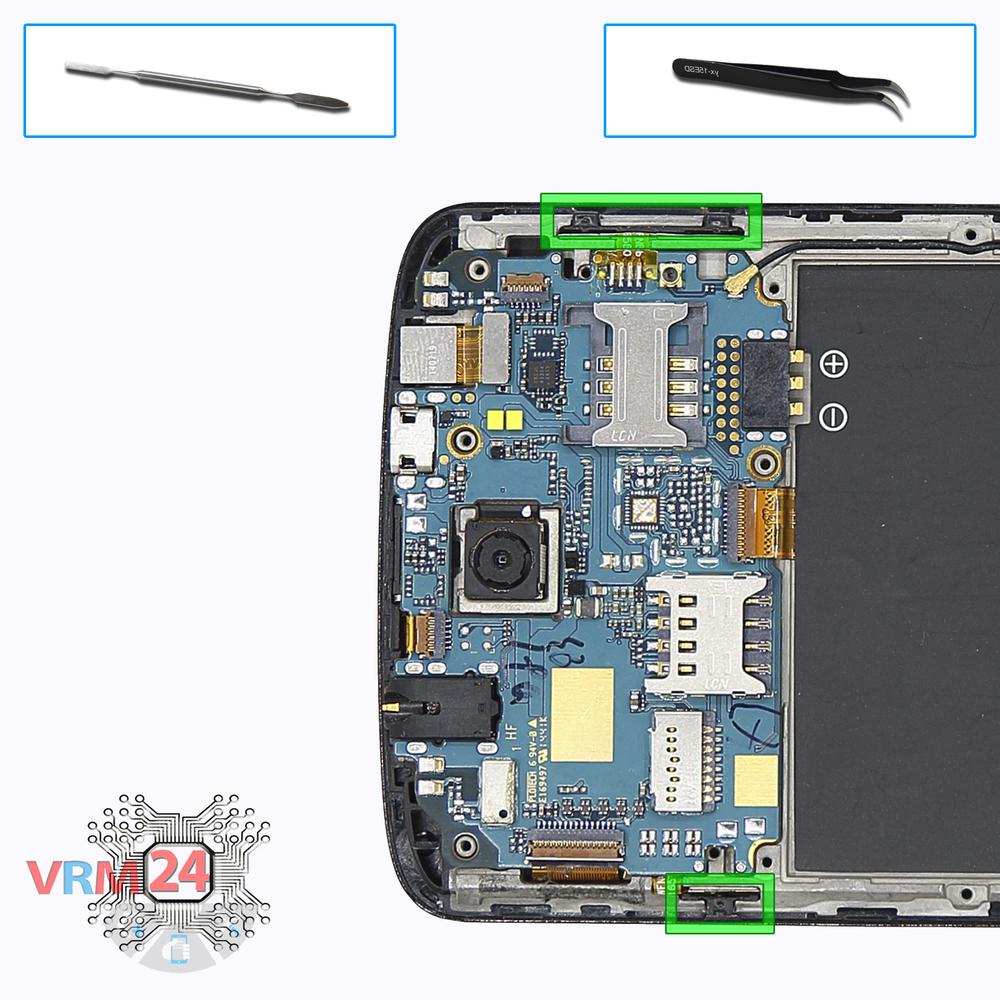
Remove the buttons
Remove the keys of the volume and power buttons.
Step 7.
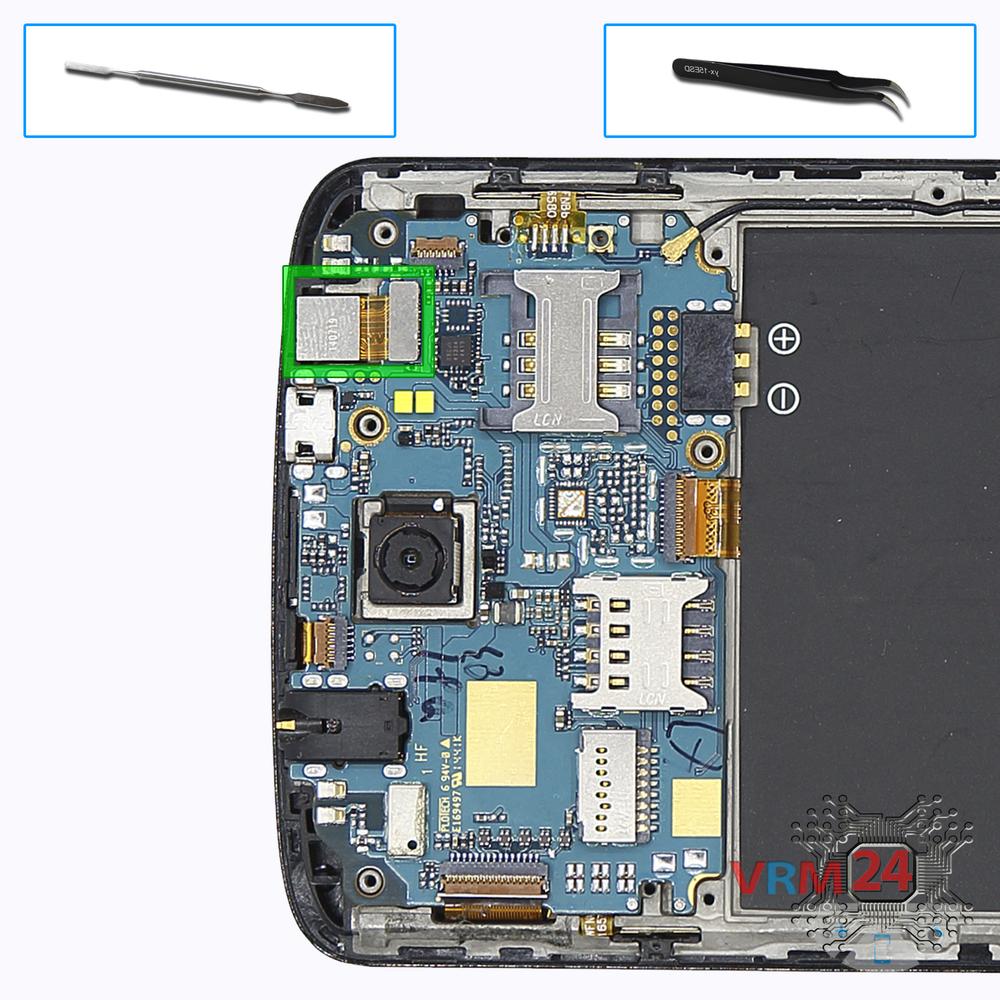
Remove the front camera
Disconnect connector on the PCB and remove the front (selfie) camera.
Step 8.
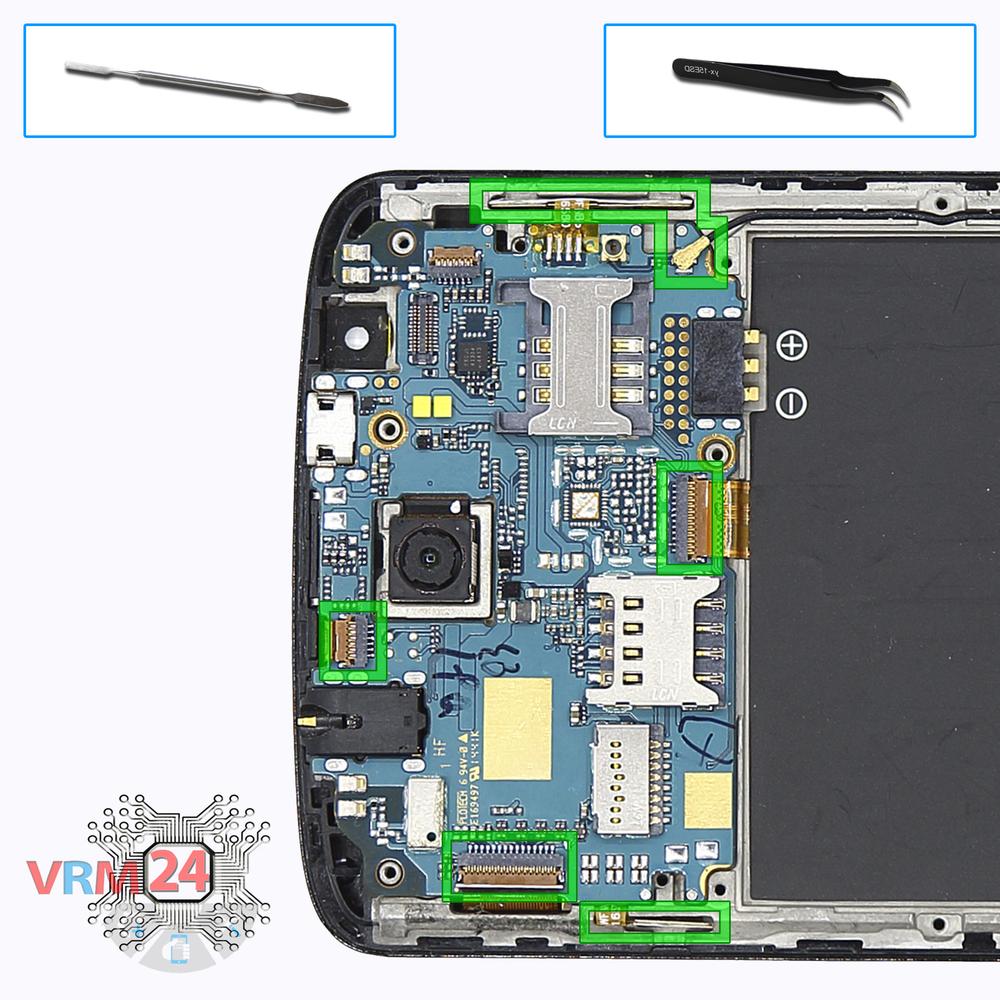
Disconnect the connectors
Disconnect connectors on the PCB.
Step 9.
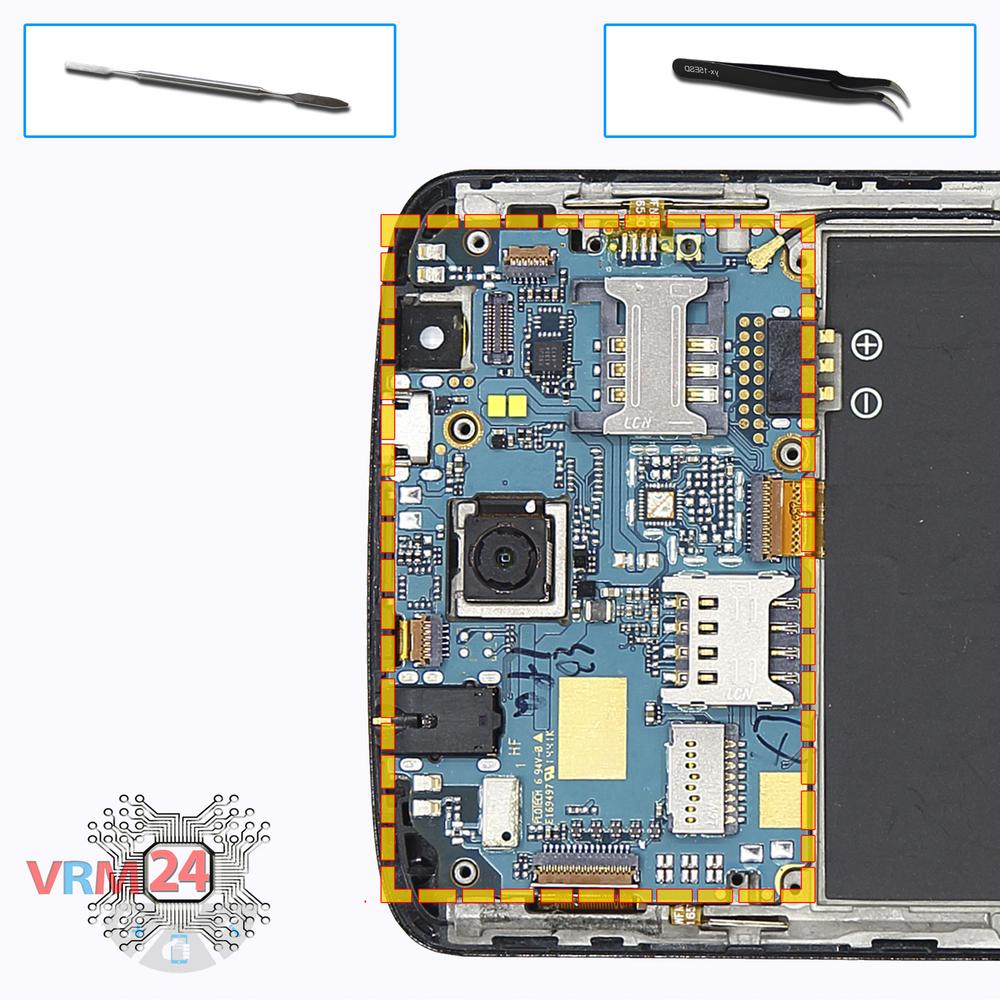
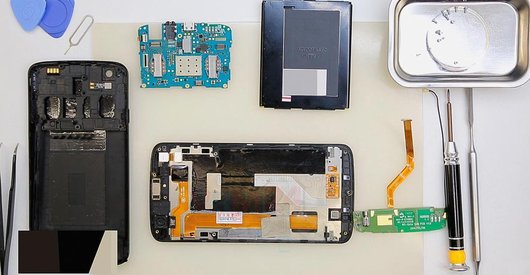
Remove the motherboard
Remove the PCB.
Step 10.
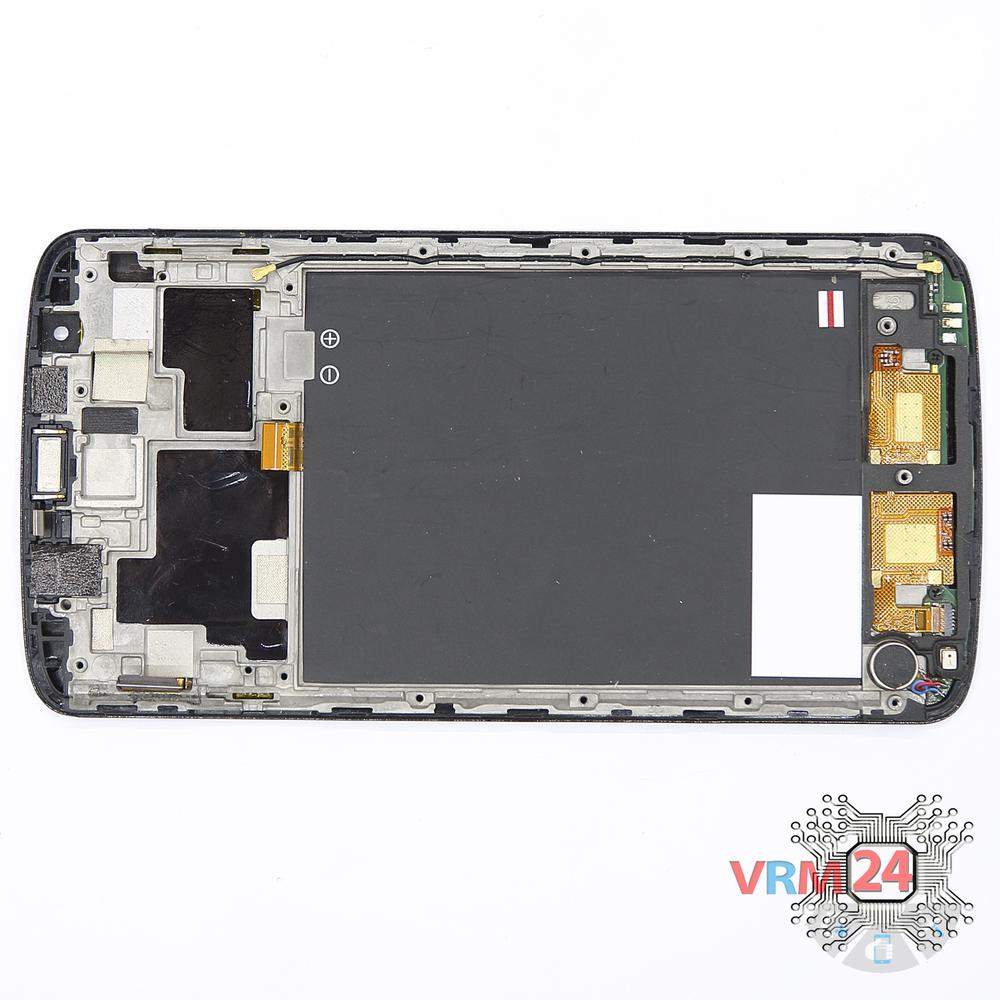
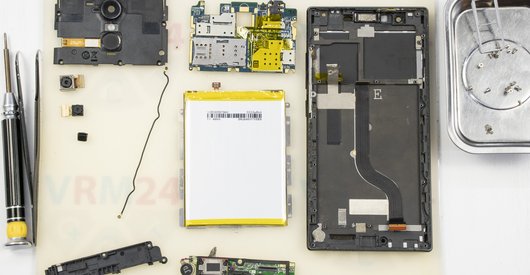
In the display frame remained
Parts are in the frame of the display module.

If you have a question, ask us, and we will try to answer in as much detail as possible. If this article was helpful for you, please rate it.

4847
Views
0
Likes
—
Share
4
Questions
Related Instructions
Related Reviews
Related Blog

Popular Questions
L
Asus ZenFone 3 ZE520KL
The battery of my 64GB Zenfone 3 drains very fast, this without even using it properly 10h already asks for charge. How can I get your number. To get…
Lucas Miguel20
H
Doogee S60 IP68
The battery has a connector or welded wires?Thanks
HenryProperCall9118
K
Sony Xperia E5
What is price of the Sony Xperia E5's battery?
Katarzyna N.1
Samsung Galaxy A5 (2016) SM-A510
I have a sm-t510 galaxy tab A 10.1... where can I purchase the OEM adhesive material to properly seal tab closed again
benjamin3
D
Huawei MediaPad T3 (10'')
Very helpful video - thank you. I was able to detatch my broken screen on my Mediapad T3 10
David White12Top instructions
Check our
Top Philips instructions most liked by readers
New instructions
Check our
New Philips brand instructions on vrm24.com