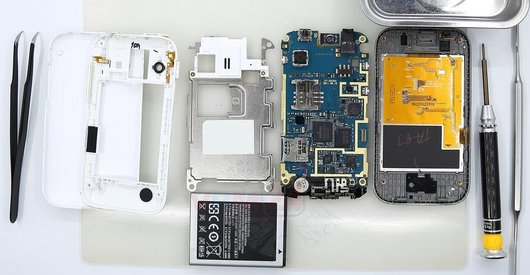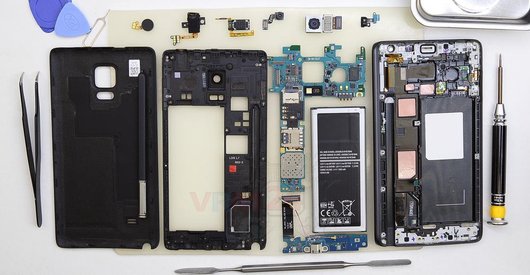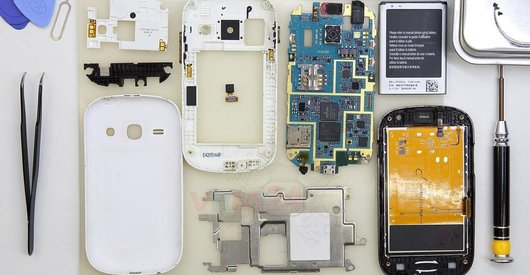







Recommended tools
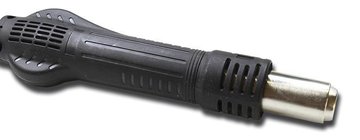
Heat gun
Screwdriver Phillips #000

Tweezers

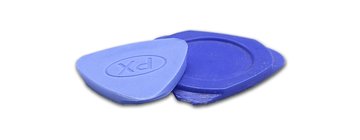
Non-metallic tool
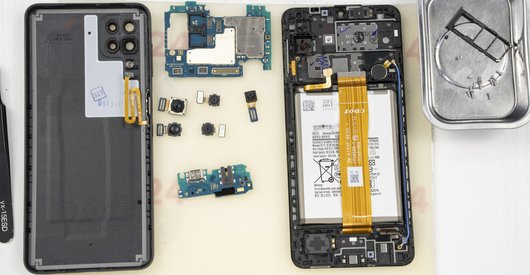
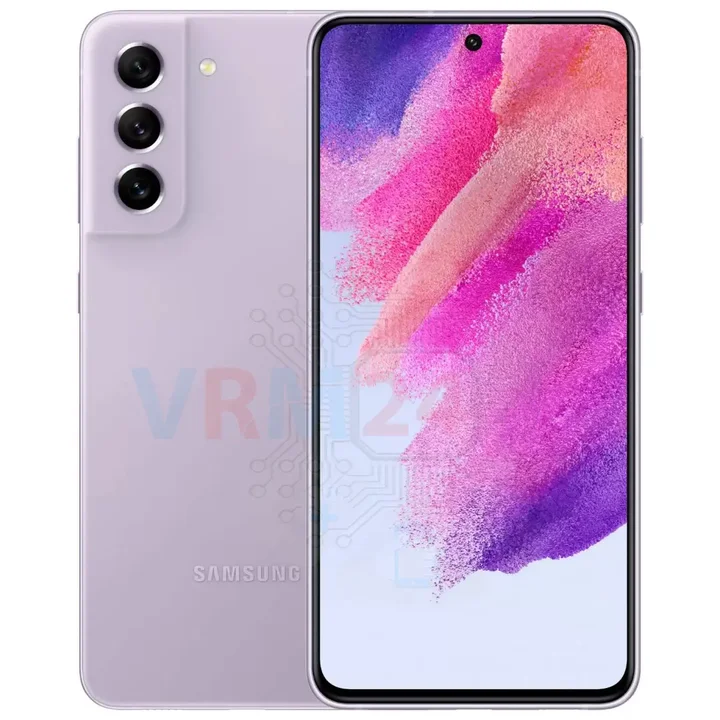
Disassembly/Repair of the mobile device Samsung Galaxy S21 FE SM-G990 (Samsung Galaxy S21 FE 5G SM-G990B, SM-G990B/DS, SM-G990U, SM-G990U1, SM-G990W, SM-G990E, SM-G9900, SM-G990B2, SM-G990U2, SM-G990W2, SM-G990U3) with each step description and the required set of tools.
15386
Views
7
Likes
—
Share
0
Questions

Step 1.
Before disassembling!
⚠️ Before disassembling, do not forget to turn your phone off.
Step 2.
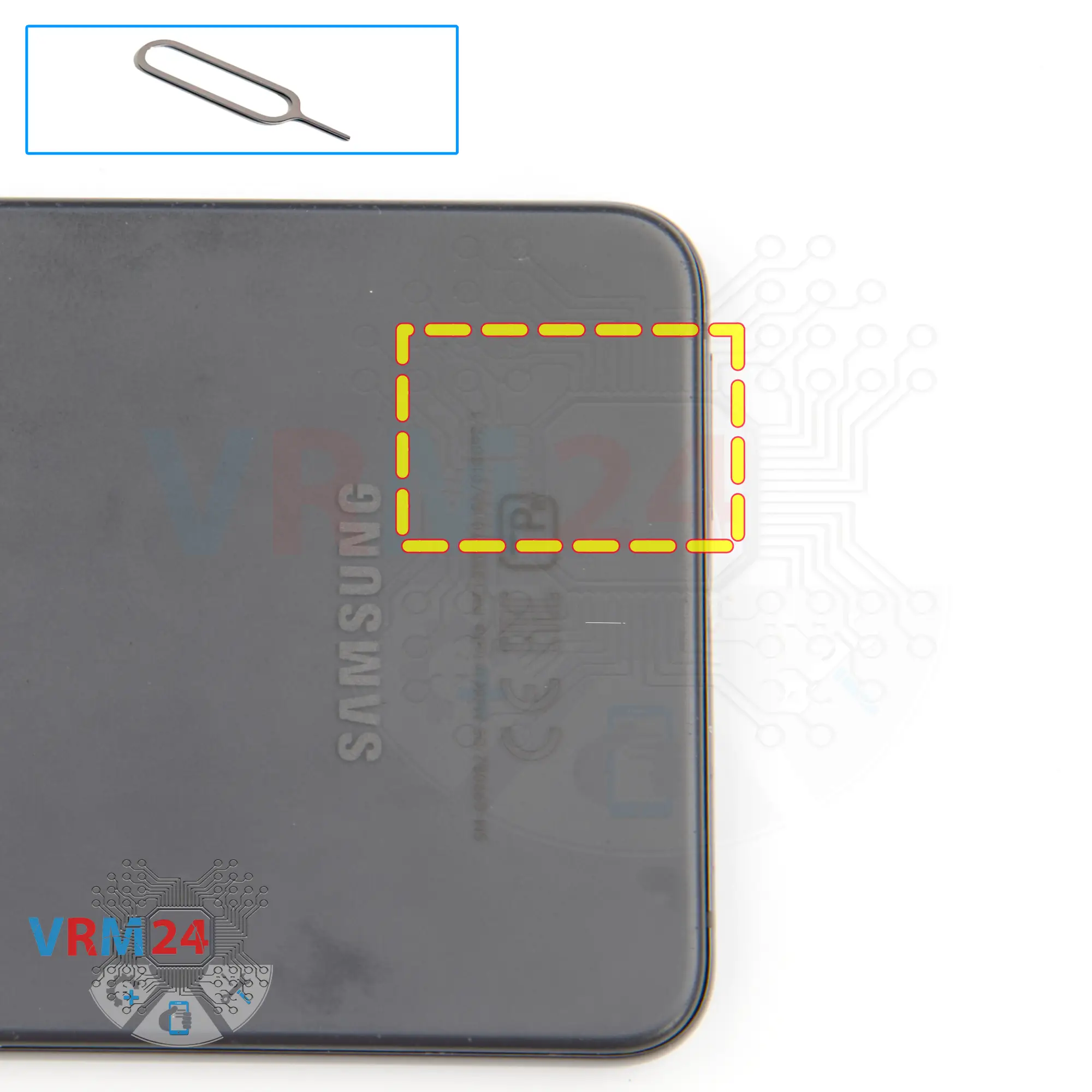
Remove the tray
At the very beginning we need to remove the cards tray for this we take a special tool, insert it into the hole and push out the tray for SIM cards.
Step 3.
Open the back cover
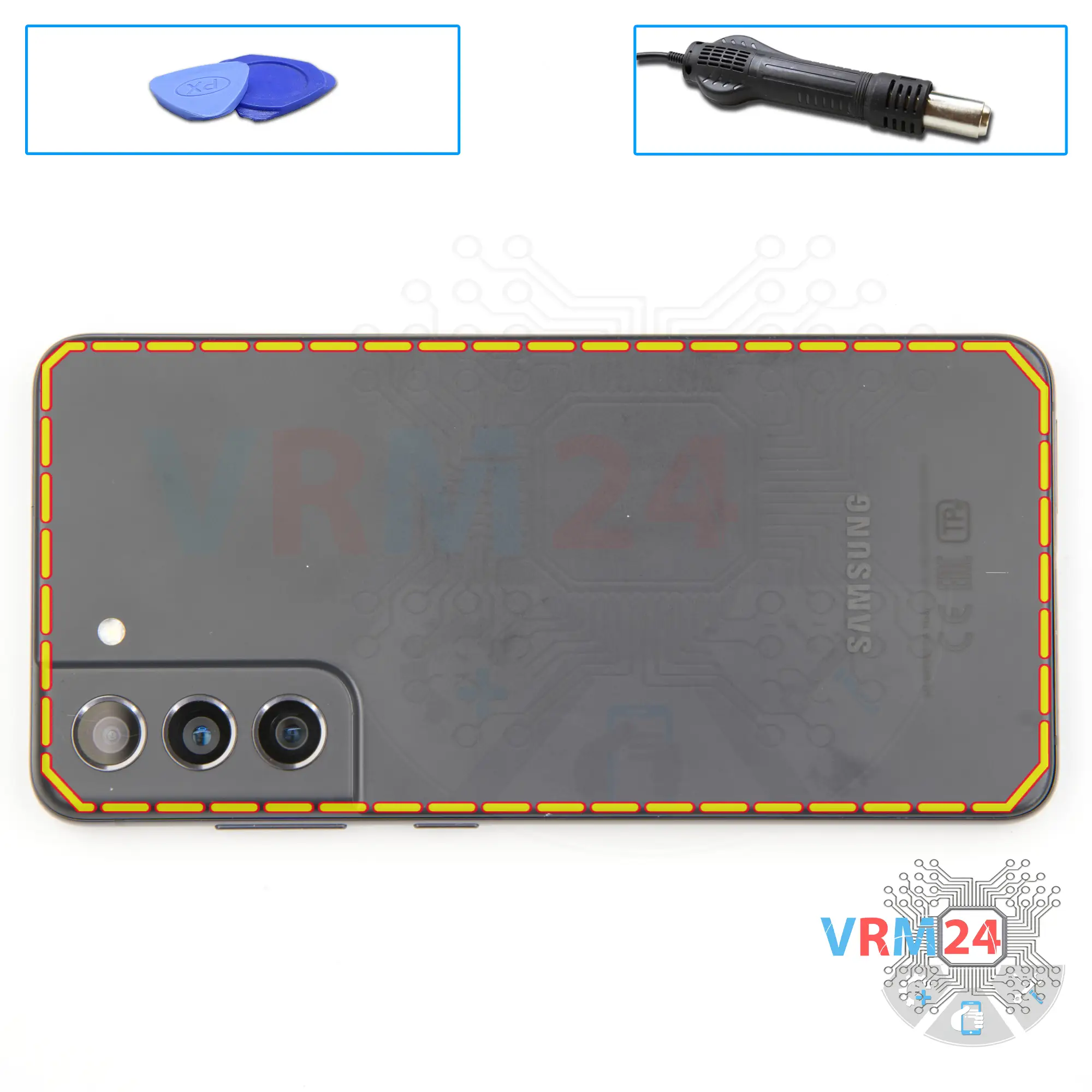
We need to heat the surface of the back cover to a temperature of about 70 ° C or 160 ° F. For this we use a heating mat you can use a hair dryer.
And after 5-7 minutes we can proceed to open the back cover.
To remove the back cover, we will use a plastic film, this is the protective film from the new display. We insert it into the gap between the middle cover and the back cover and run it lengthwise to detach the back cover.
We always need to be careful around the side buttons, because in this area there may be cables and they can be damaged.
We also need to be careful in the area of the cameras, so as not to touch or damage the lenses.
Step 4.
Unscrew the screws
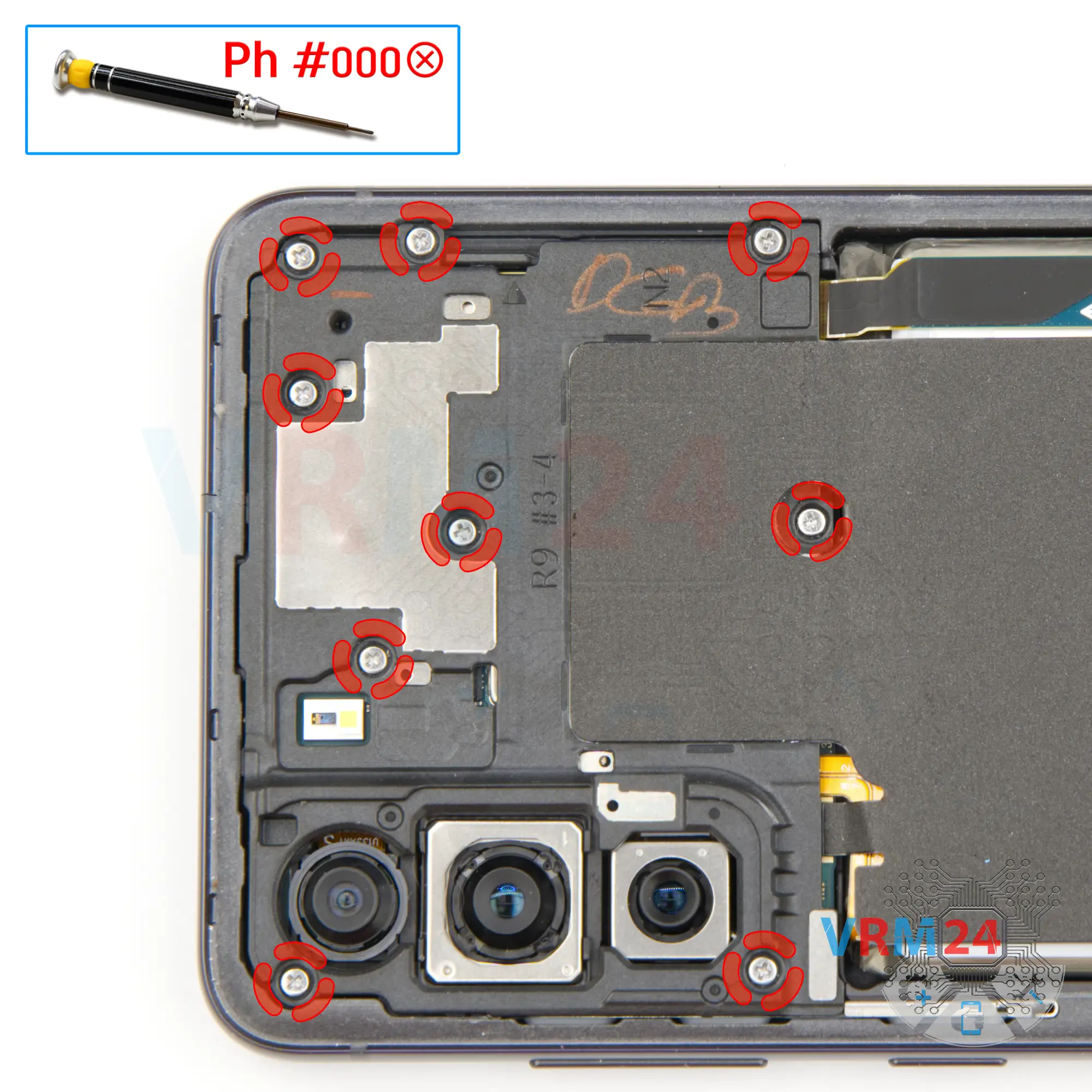
After that we need to remove the nine screws at the top, for this we use a 1.5mm Phillips screwdriver or #000.
This will allow us to get to the battery connector that we need to disconnect.
This model has a lot of screws that will be different, so we recommend placing them on a special surface in an easy to remember order for reassembly.
Step 5.
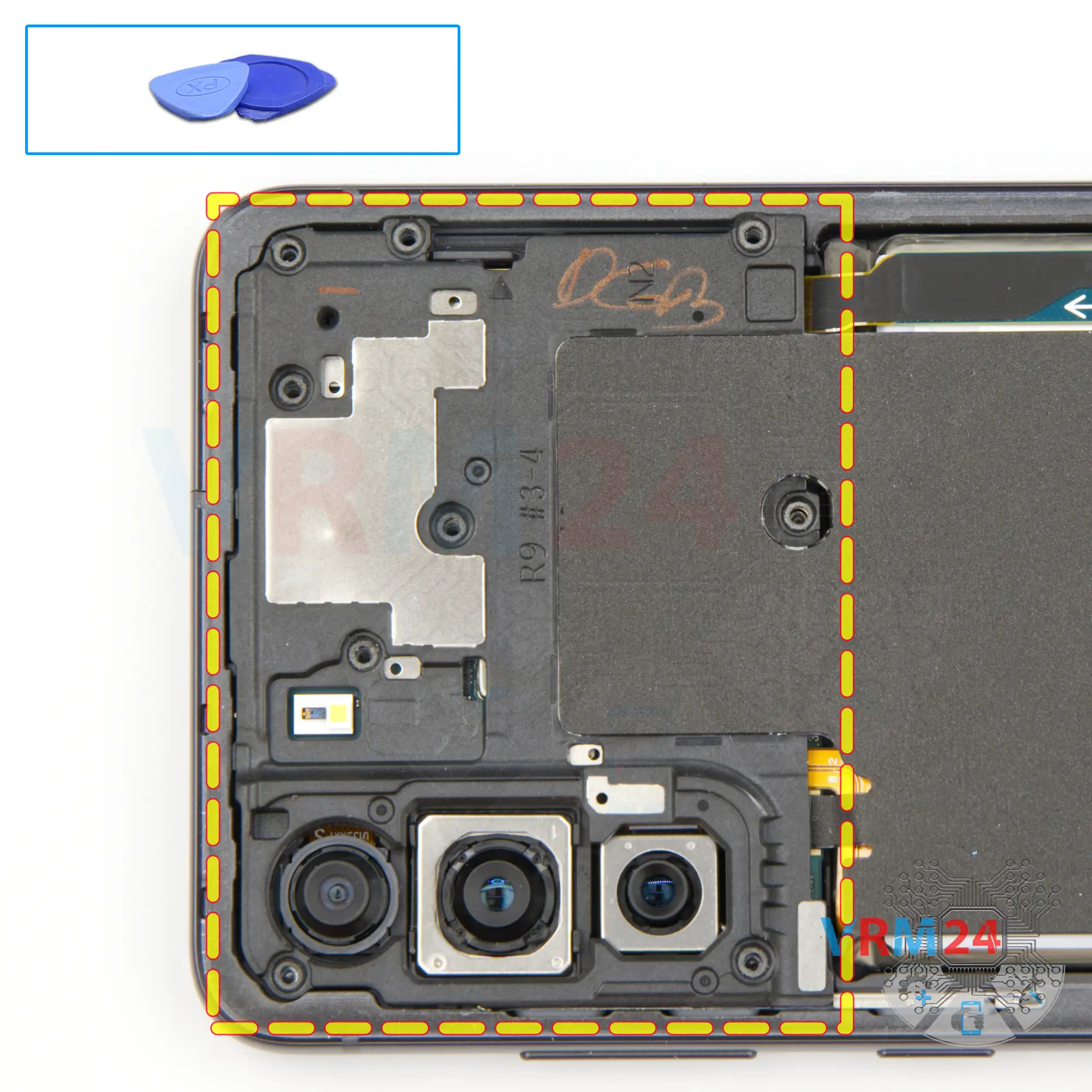
Open the cover
We need to carefully lift the cover and bend it back.
Step 6.
Disconnect the battery connector
We disconnect the battery connector first and after the wireless charging connector. Use a non-metallic or plastic tool to avoid any damage.
ℹ️ The Samsung Galaxy S21 FE model has a battery EB-BG990ABY with a capacity of 4500 mAh (also known as a rechargeable battery).
Step 7.
Unscrew the screws
And we move on to unscrewing the six screws at the bottom. The screwdriver is the same Phillips 1.5mm.
Step 8.
Remove the loudspeaker
Now we can detach the cover with the speaker. We find the right and proper place to hook the cover and lift it up.
And we can remove the whole assembly.
The assembly we have consists of the loudspeaker, wireless charging, NFC and the earpiece speaker.
Step 9.
Remove the interconnect cables
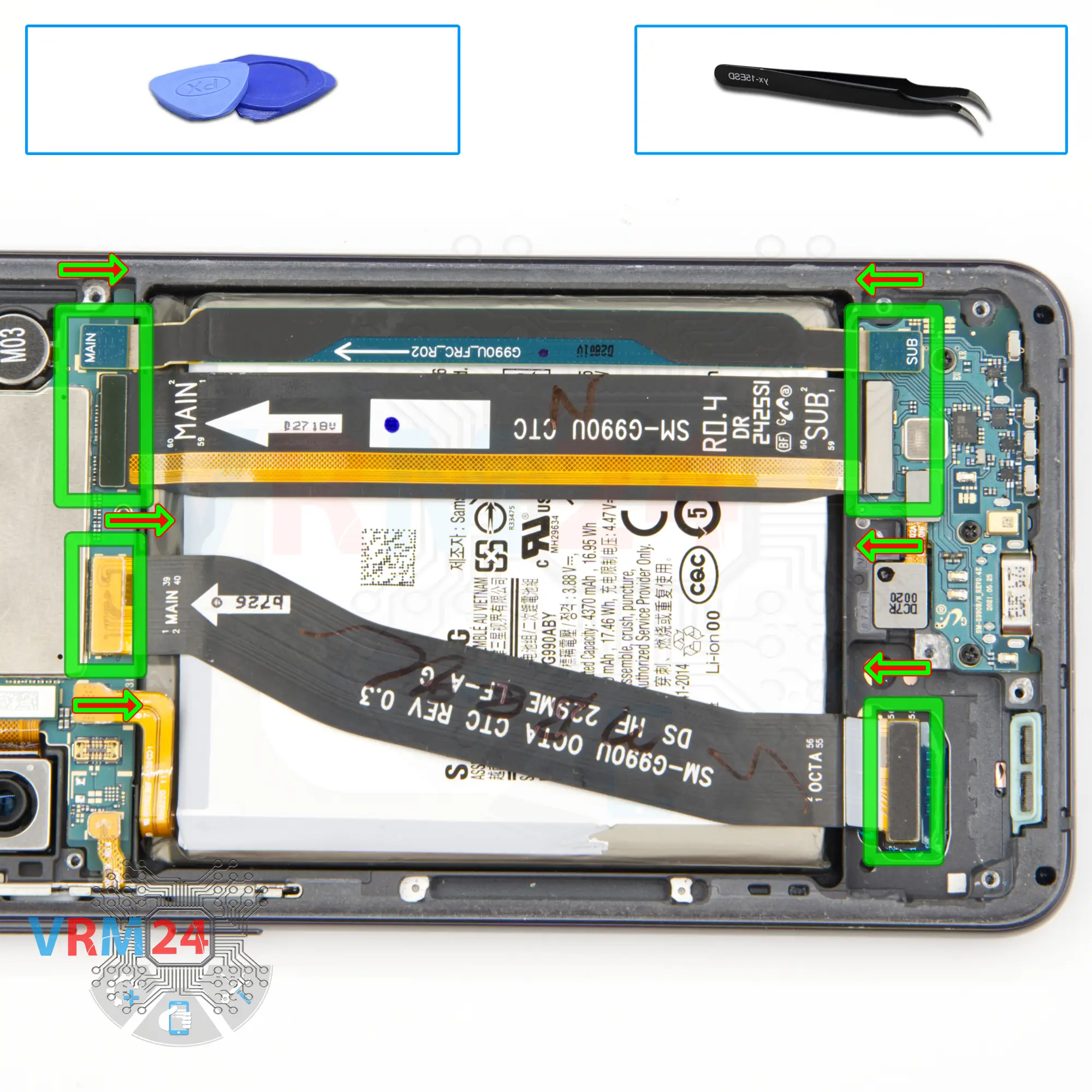
We can detach the two inter-board cables and the cable leads to the display.
⚠️ Please note - the arrows on the cables indicate the direction to the motherboard. Also, on the cables is indicated the location in relation to the motherboard and the sub-board.
Step 10.
Disconnect the connector
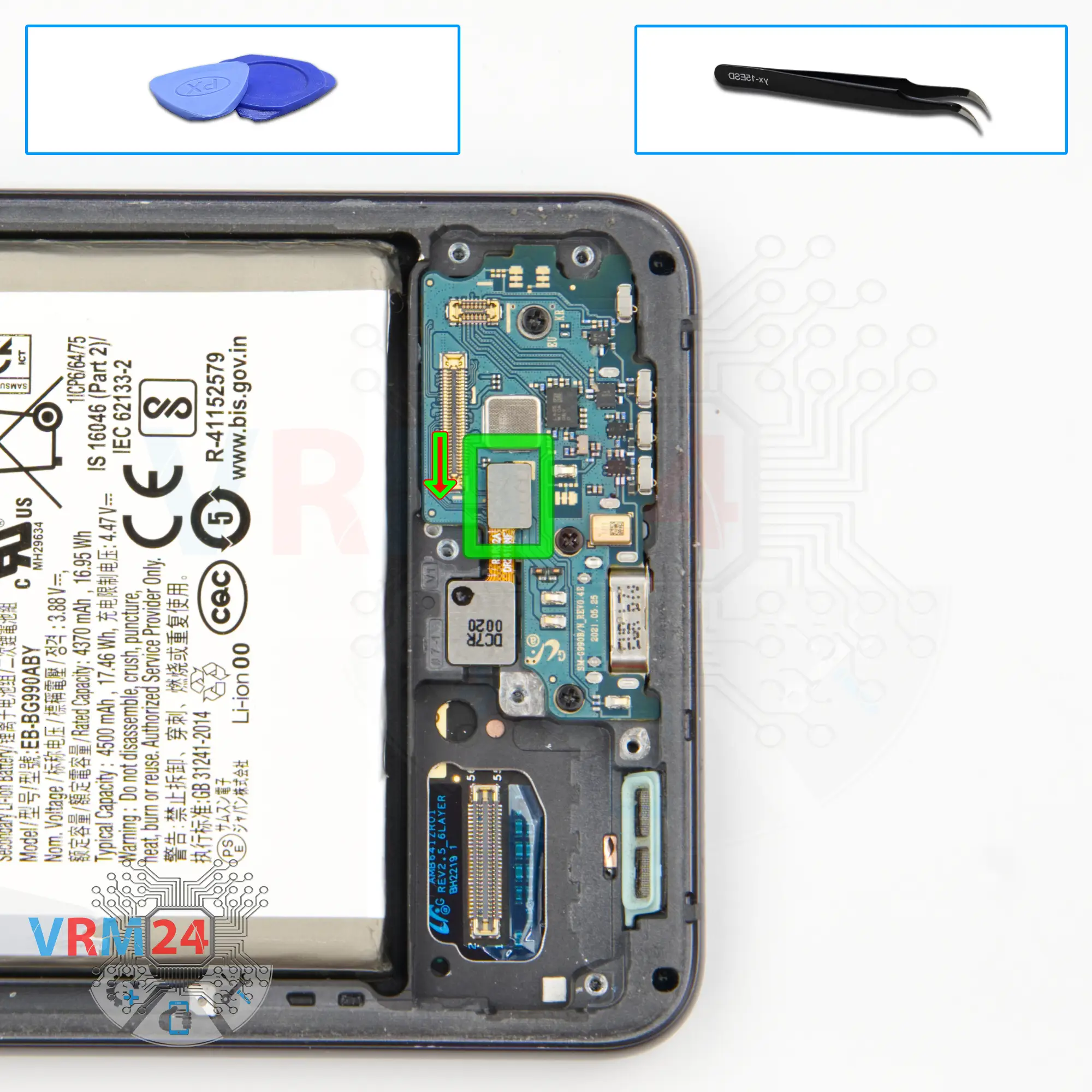
Then we disconnect the fingerprint sensor connector.
⚠️We have to be careful, because the fingerprint sensor cable is really thin and can be easily damaged.
Step 11.
Unscrew the screws
And we need to unscrew the three screws securing the sub-board. The screwdriver is the same Phillips 1.5 mm.
As we can see the screws are black in color and obviously different from the previous ones.
Step 12.
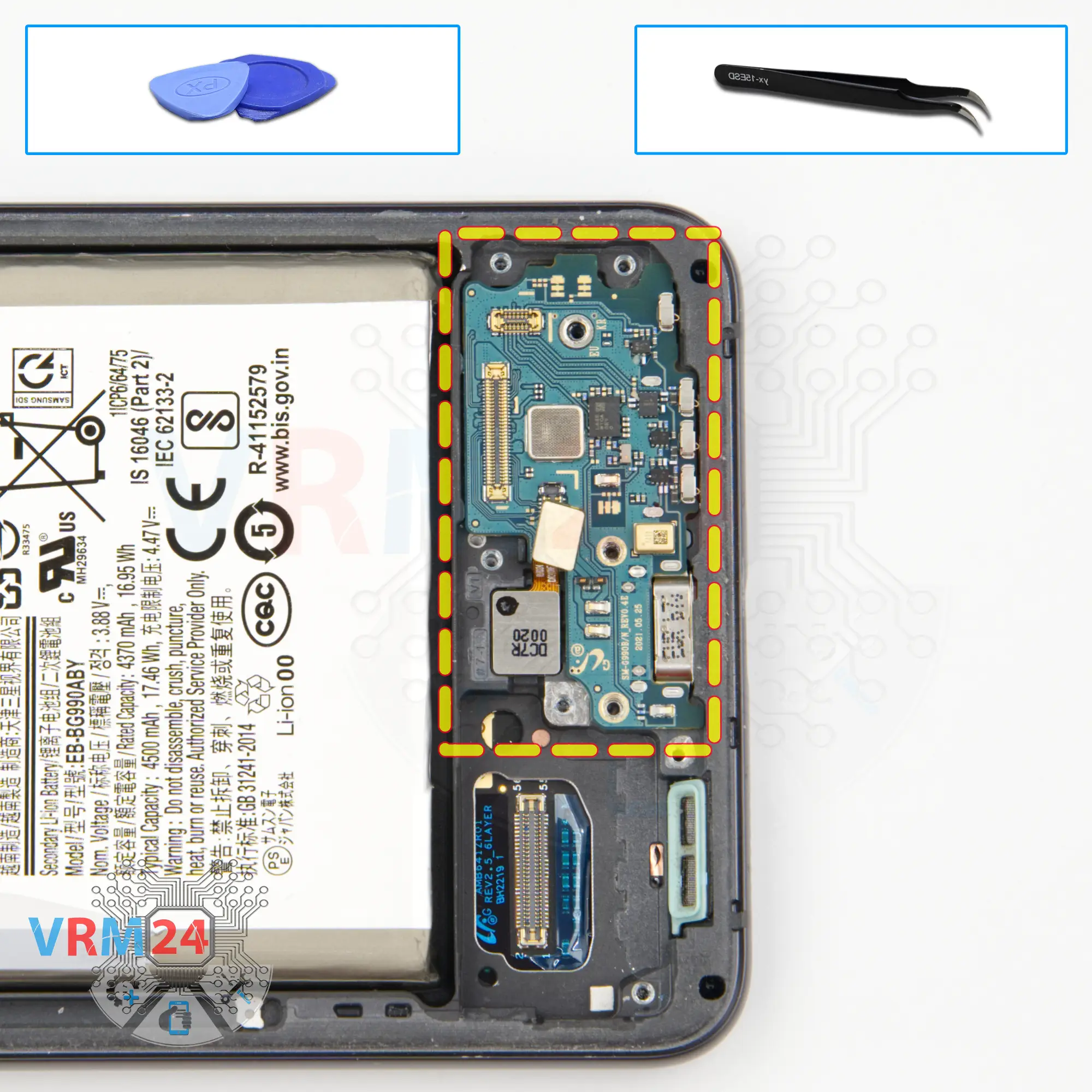
Remove the sub-board
We can remove the sub-board, carefully hook over the edge and try to lift the sub-board. The sub-board is slightly recessed. As I wrote before the fingerprint sensor cable is thin and easy to damage, so be careful.
On the sub-board we have a charging port, a microphone and a holder of the SIM cards on the back side.
Step 13.
Remove the cameras
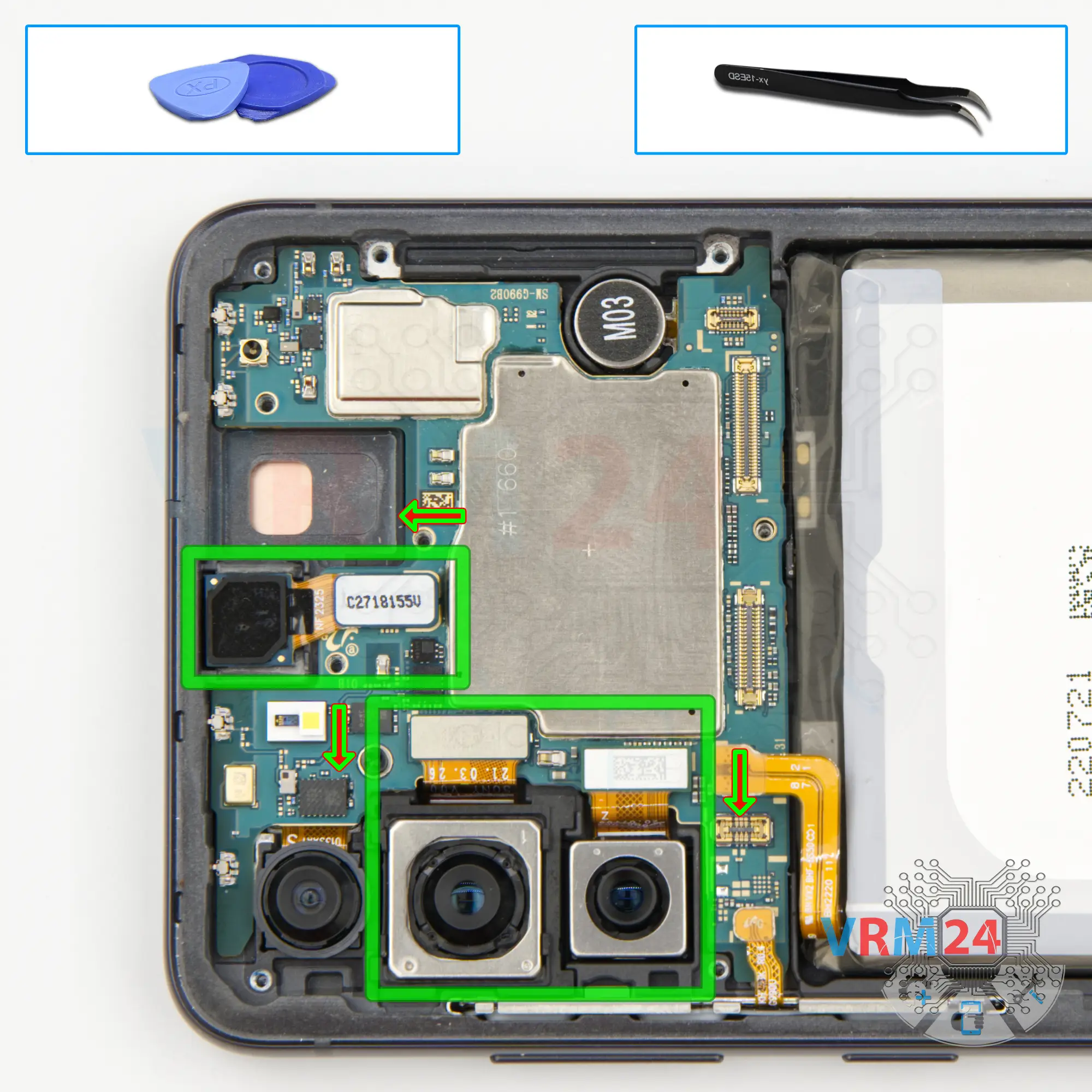
We disconnect the connector and remove the front camera.
Then we detach the two rear cameras.
It is better to hold the cameras so that they do not fly out, at the same time try not to touch the lenses so as not to damage them.
If the camera is glued, then we have to gently pry it up by the bottom.
Step 14.
Disconnect the connector
Then we disconnect the connector of the side buttons.
Step 15.
Unscrew one screw
And we unscrew the one screw holding the motherboard. The screwdriver is the same 1.5 mm Phillips.
Step 16.
Remove the motherboard
We can detach the motherboard, find the right place for which we can hook, lift and pull out the motherboard. Do not pull the motherboard by force or we could damage something.
Step 17.
Remove the rear camera
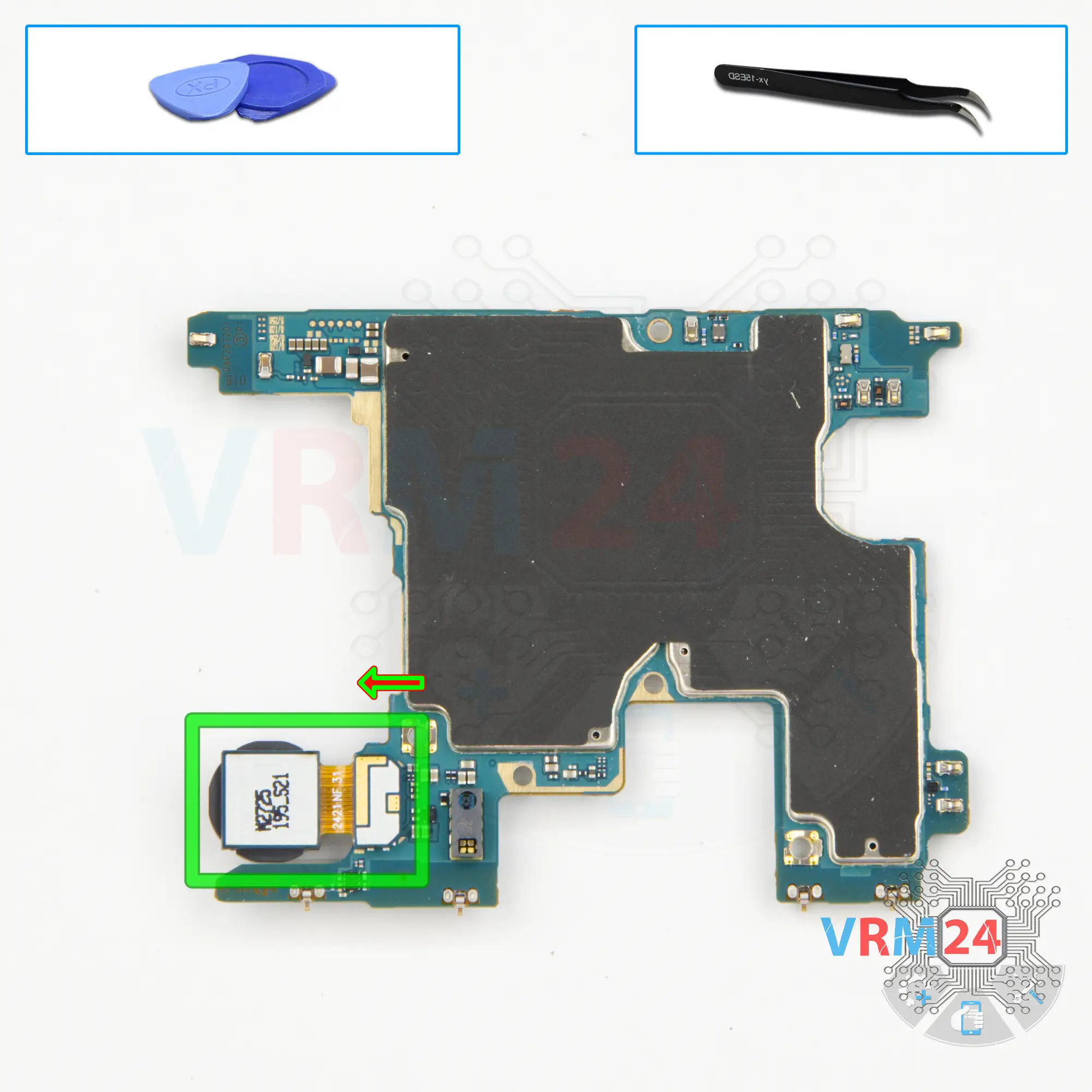
We have removed the motherboard, now we need to detach the last rear camera.
If it is taped to the display frame. We gently pry it at the bottom and detach the camera.
Else, just disconnect the connector and remove it.
Step 18.
Remove the battery
Finally we move on to detaching the battery.
In our case, the battery is really firmly glued to the display frame.
We use a thick plastic film to unstick it. We run the film under the battery and slide it up and down or back and forth detaching the battery.
We don't know what is under the battery and if there are any holes leading to the display, so we won't use isopropyl alcohol and removing the battery will take longer.
There is no need to hurry, it is important not to damage the display, the display frame or the battery shell.
Step 19.
In the display frame remained
ℹ️ In the display frame remained: the fingerprint sensor and vibration motor.

If you have a question, ask us, and we will try to answer in as much detail as possible. If this article was helpful for you, please rate it.

15386
Views
7
Likes
—
Share
0
Questions
Related Instructions
Related Reviews
Related Blog
Popular Questions
M
Samsung Galaxy Note 10.1'' GT-N8000
As always, the best quality in the tutorials.
Miguel ALONSO SALINAS17
J
Samsung Galaxy Tab A 10.1'' (2016) SM-T585
Is the first terminal disconnected for battery? Thanks for reply.
Jakub Ziólkowski4
Samsung Galaxy A9 (2018) SM-A920
How to glue the back cover
kajratbajgaliev093
I
Samsung Galaxy A5 (2016) SM-A510
well done friend I just have one question how many degrees and what air speed did you use? thanks for your contribution it will help us a lot 👍😃
Ivan Lesspaul lml14
В
Samsung Galaxy A10 SM-A105
Hi! What can be wrong with this model if it restart phone when it whant? And that facke restart don't go to android logo, go to only Samsung logo and…
Володимир Олександрович5Top instructions
Check our
Top Samsung instructions most liked by readers
New instructions
Check our
New Samsung brand instructions on vrm24.com