Recommended tools
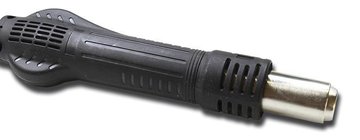
Heat gun
Screwdriver Phillips #000

Tweezers

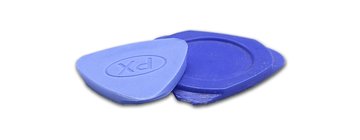
Non-metallic tool
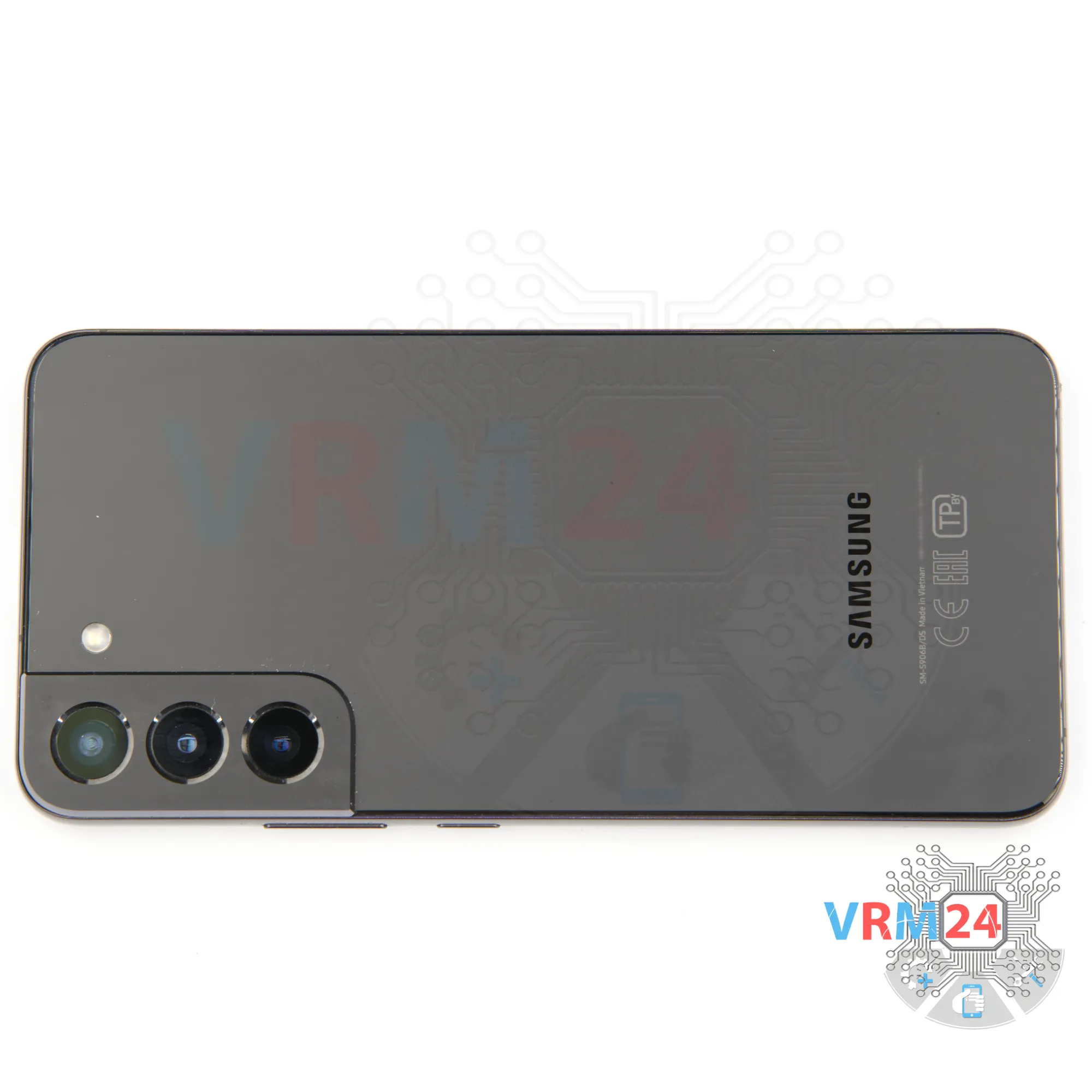
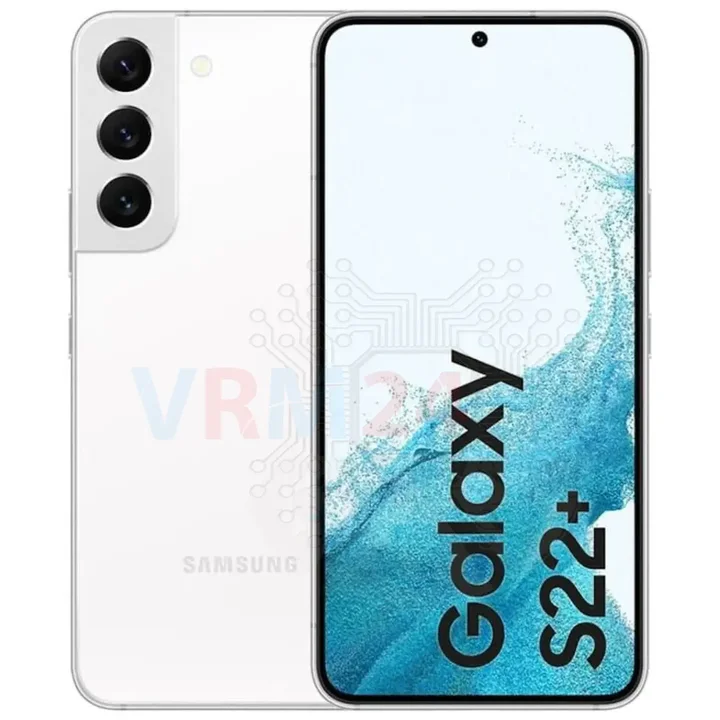
Disassembly/Repair of the mobile device Samsung Galaxy S22+ SM-S906 (Samsung S22 Plus SM-S906B, SM-S906B/DS; SM-S906U; SM-S906U1; SM-S906W; SM-S906N; SM-S9060; SM-S906E) with each step description and the required set of tools.
4695
Views
0
Likes
—
Share
0
Questions

Step 1.
Before disassembling!
⚠️ Before disassembling, do not forget to turn your phone off.
Step 2.
Remove the tray
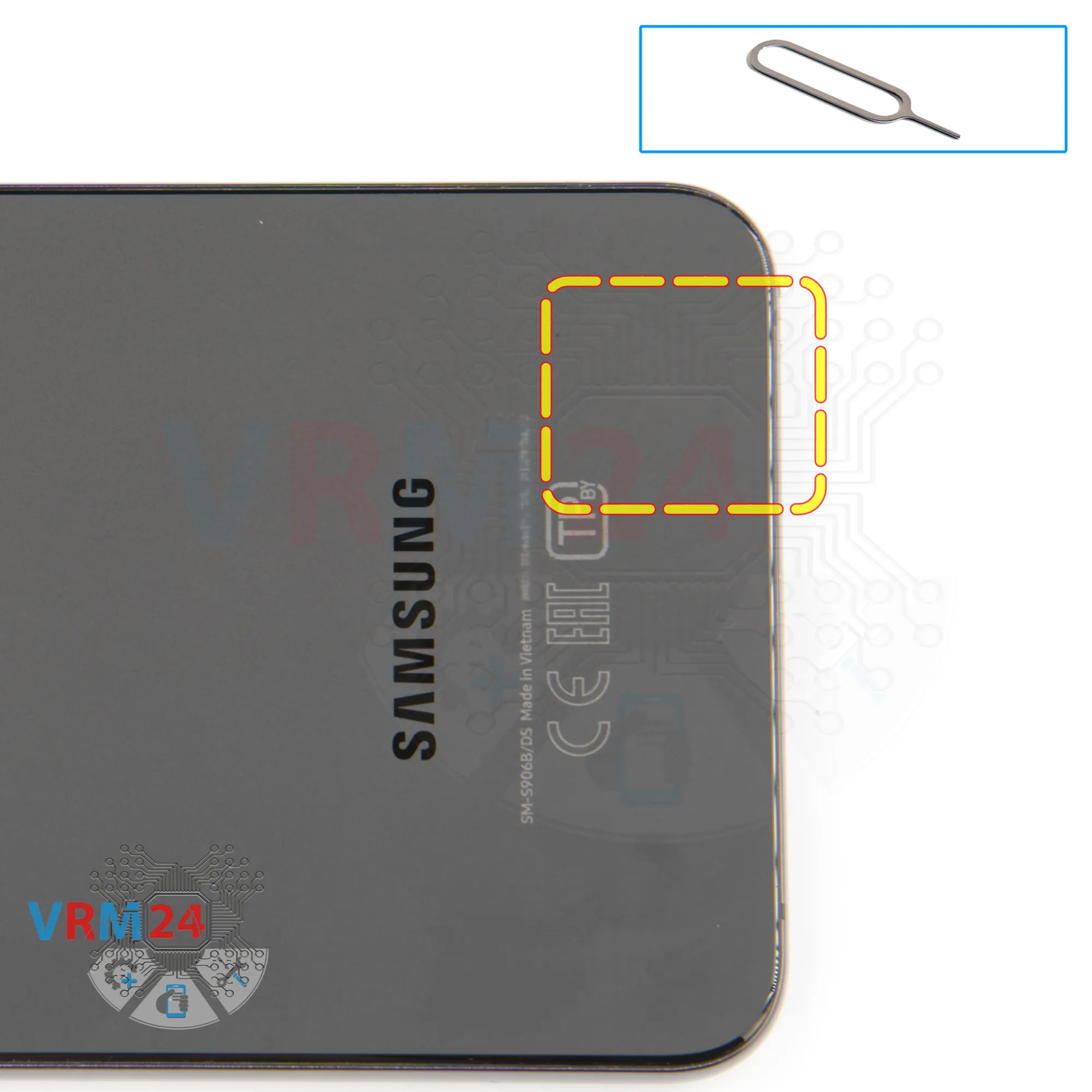
At the very beginning we need to remove the card tray for this we take a special tool, insert it into the hole and push out the card tray.
⚠️Please note that the microphone hole is located next to the card tray.
Step 3.
Open the back cover
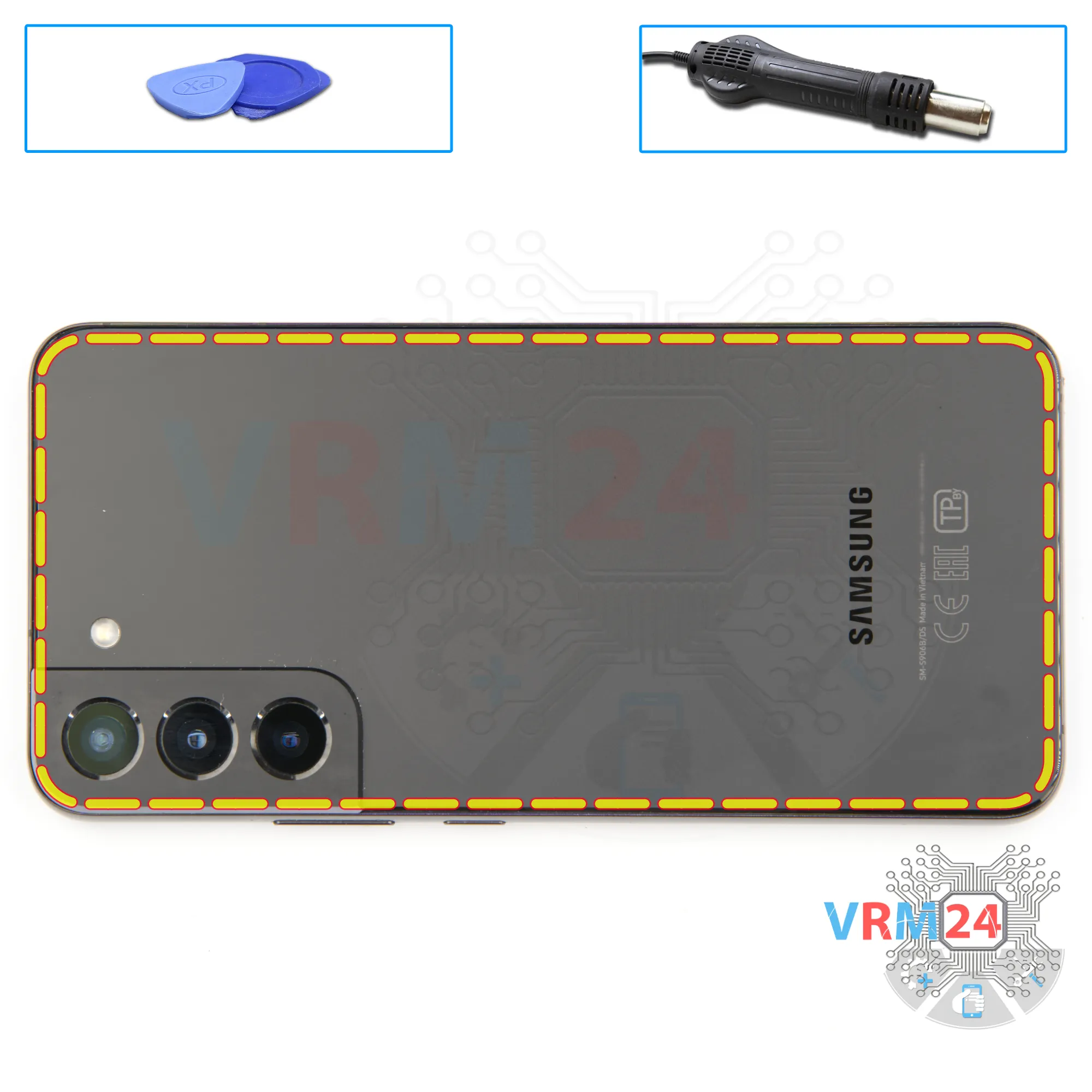
We need to heat the surface of the back cover to approximately 70° C or 160° F. For this we can use a heating mat or hair dryer.
And after 5-7 minutes we can proceed to disassembly.
To detach the back cover, we first use a thin metal tool. We try to lift the cover slightly because the cover is a little bit recessed.
And then we try to slip the thin plastic film under the back cover. We have to be as careful as possible not to accidentally damage anything with the metal tool.
And then we run the film along the edge cutting off the adhesive base.
⚠️ Always need to be careful in the area of the side buttons, because in this area cables can be located.
⚠️ We also need to be careful in the area of the cameras, so as not to touch or damage the lenses.
Step 4.
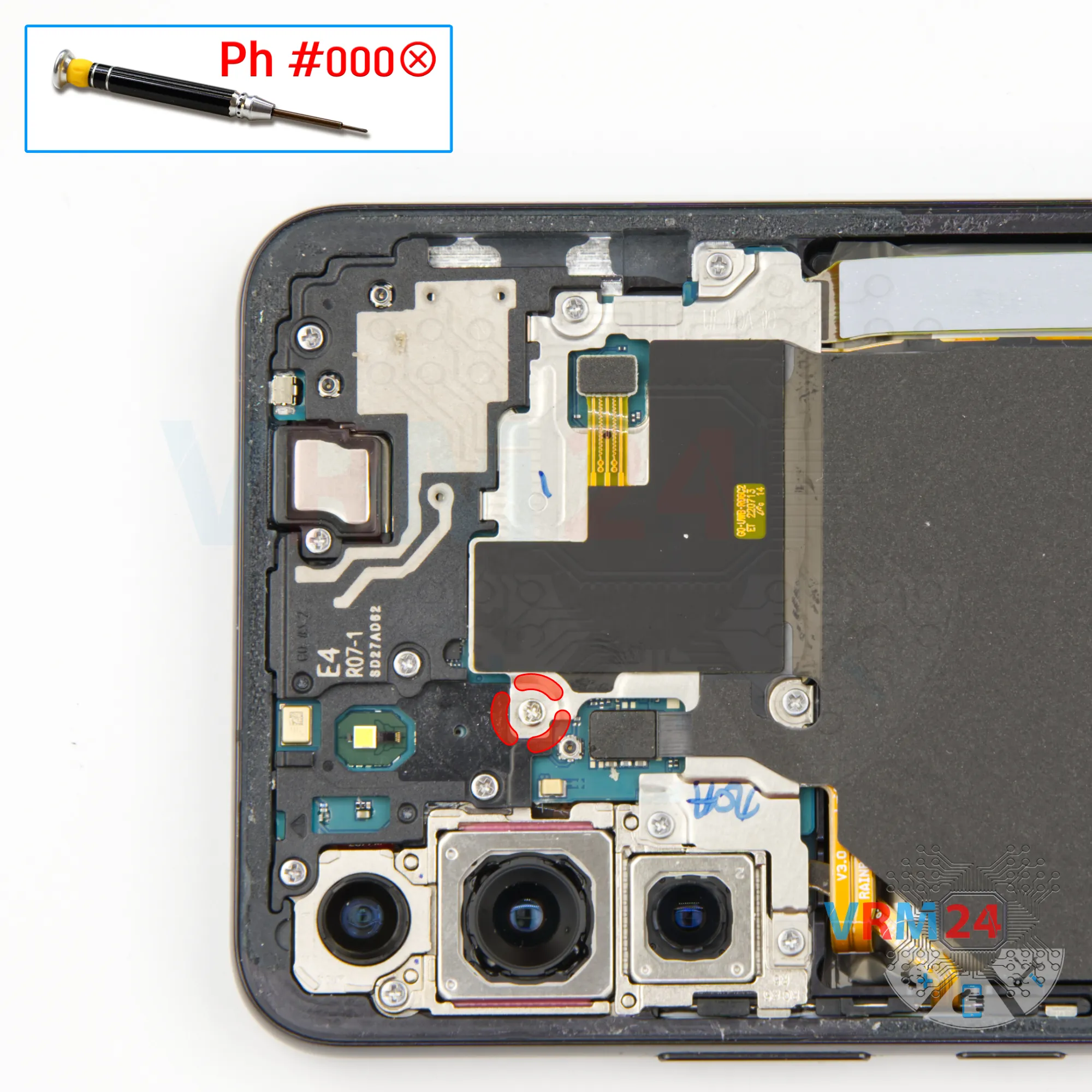
Unscrew one screw
Using a screwdriver Phillips 1.5 mm (PH #000), unscrew one small screw.
Step 5.
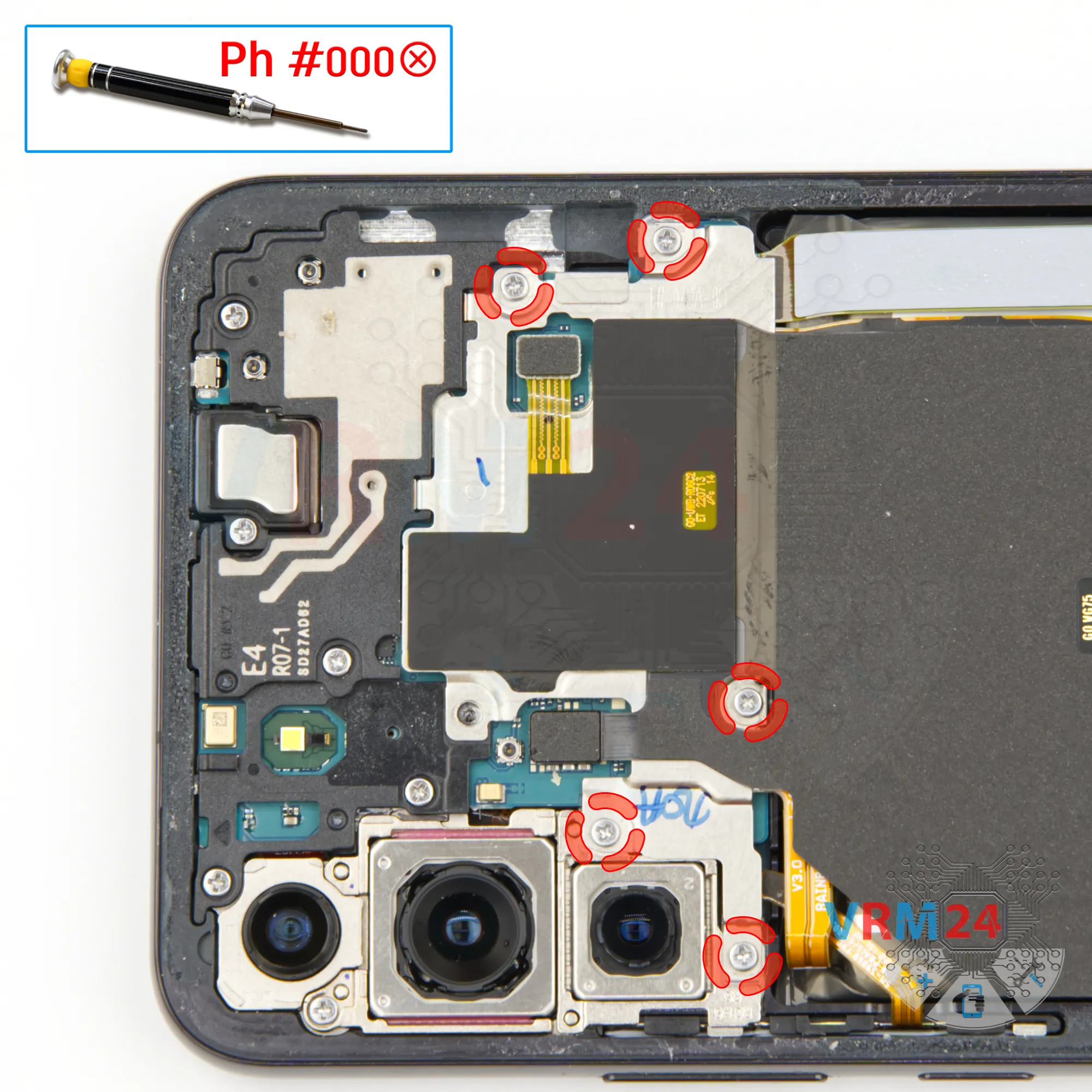
Unscrew the screws
We use a 1.5mm Phillips screwdriver or #000 to unscrew five screws securing the cover with an NFC.
Step 6.
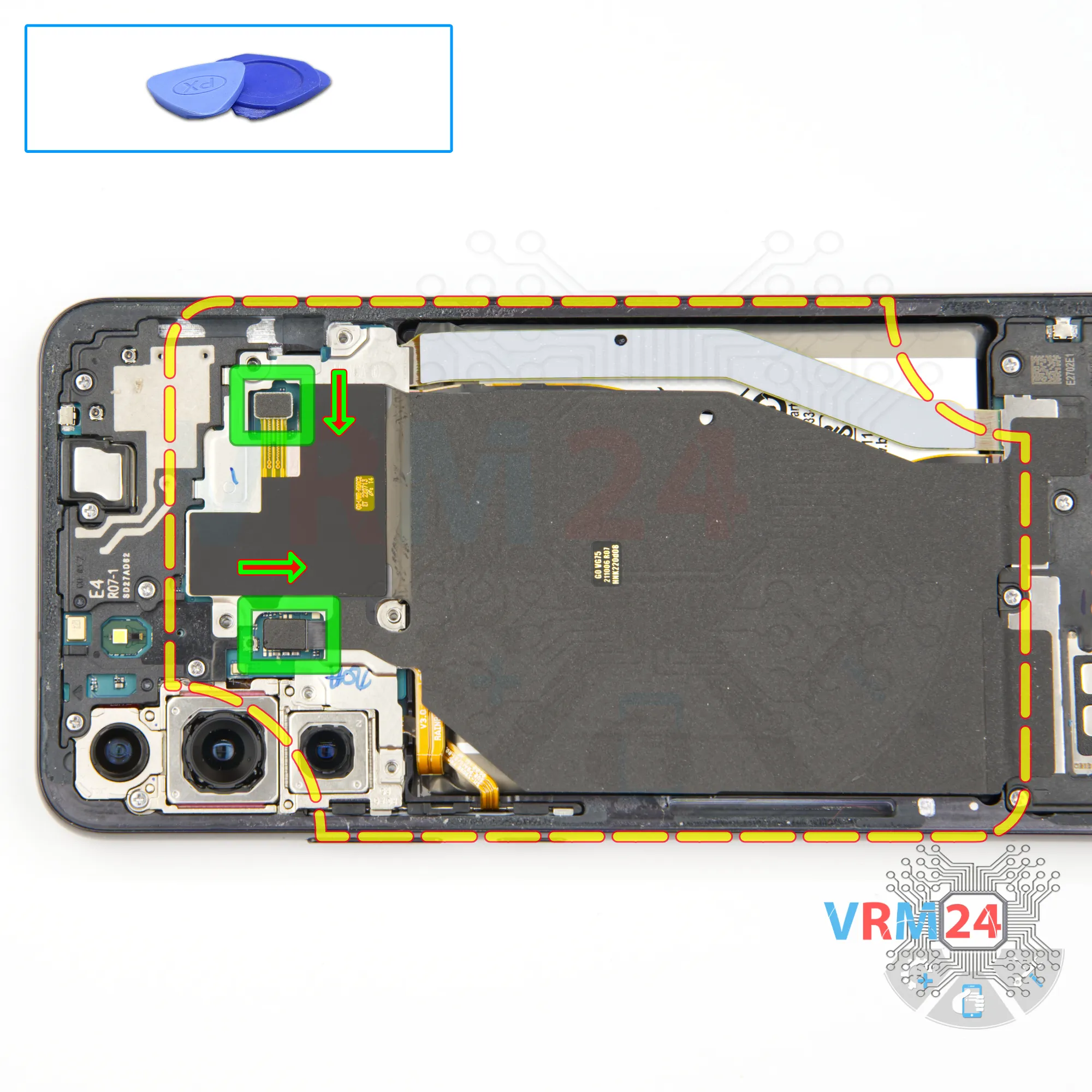
Remove the wireless charging
We disconnect two connectors for NFC and wireless charging.
After that we lift the cover and bend this assembly to the back.
Step 7.
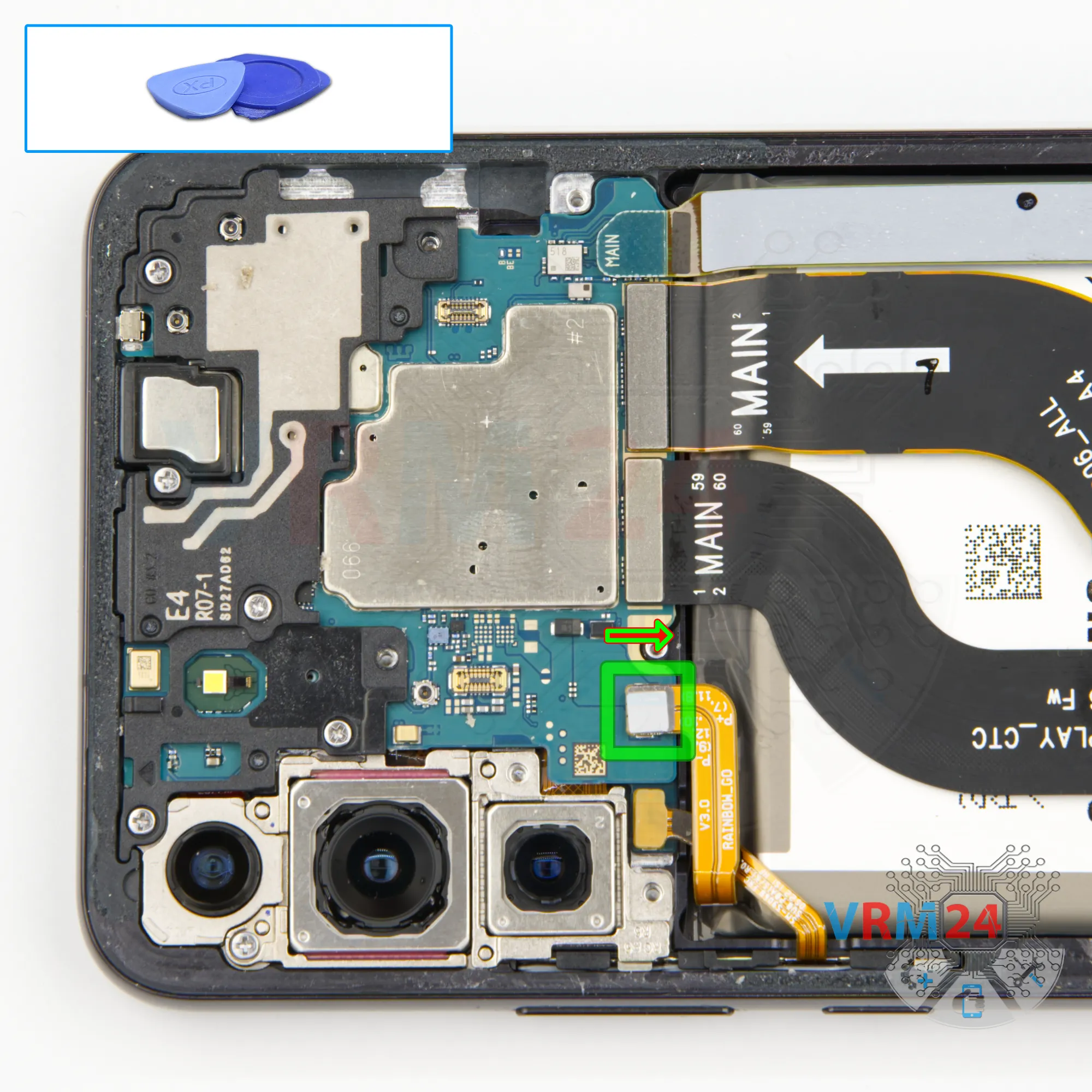
Disconnect the battery connector
And with a non-metal tool, we disconnect the battery connector.
ℹ️ The Samsung Galaxy S22+ SM-S906 model has a battery EB-BS906ABY with a capacity of 3000 mAh (also known as a rechargeable battery).
⚠️ It is highly recommended to disconnect the connector to avoid possible short circuits during disassembly.
Step 8.
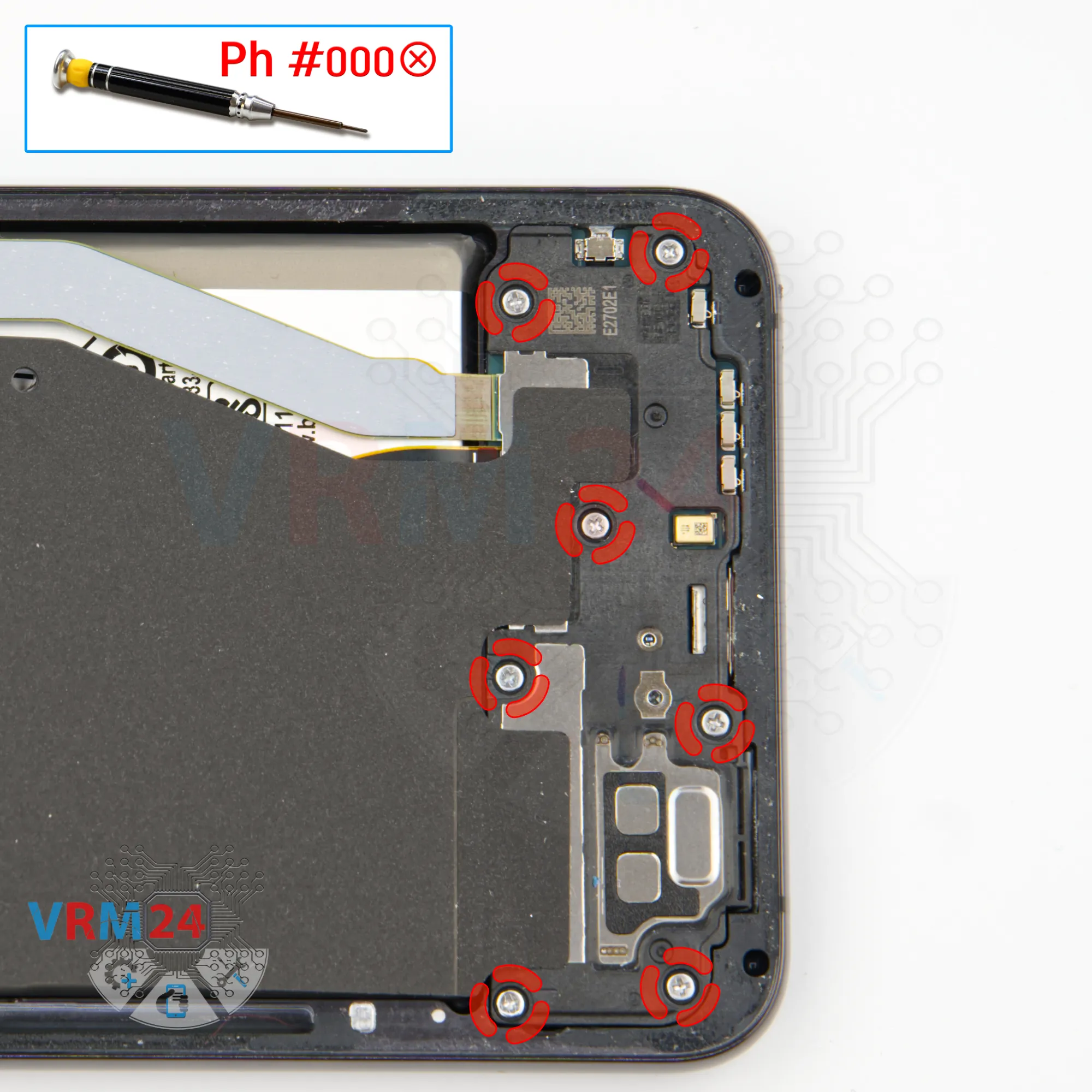
Unscrew the screws
We move on to unscrewing the screws at the bottom. Same 1.5mm Phillips head screwdriver.
The screws seem to be all the same, but we still recommend placing them on a special surface in an easy-to-remember order for reassembly.
Step 9.
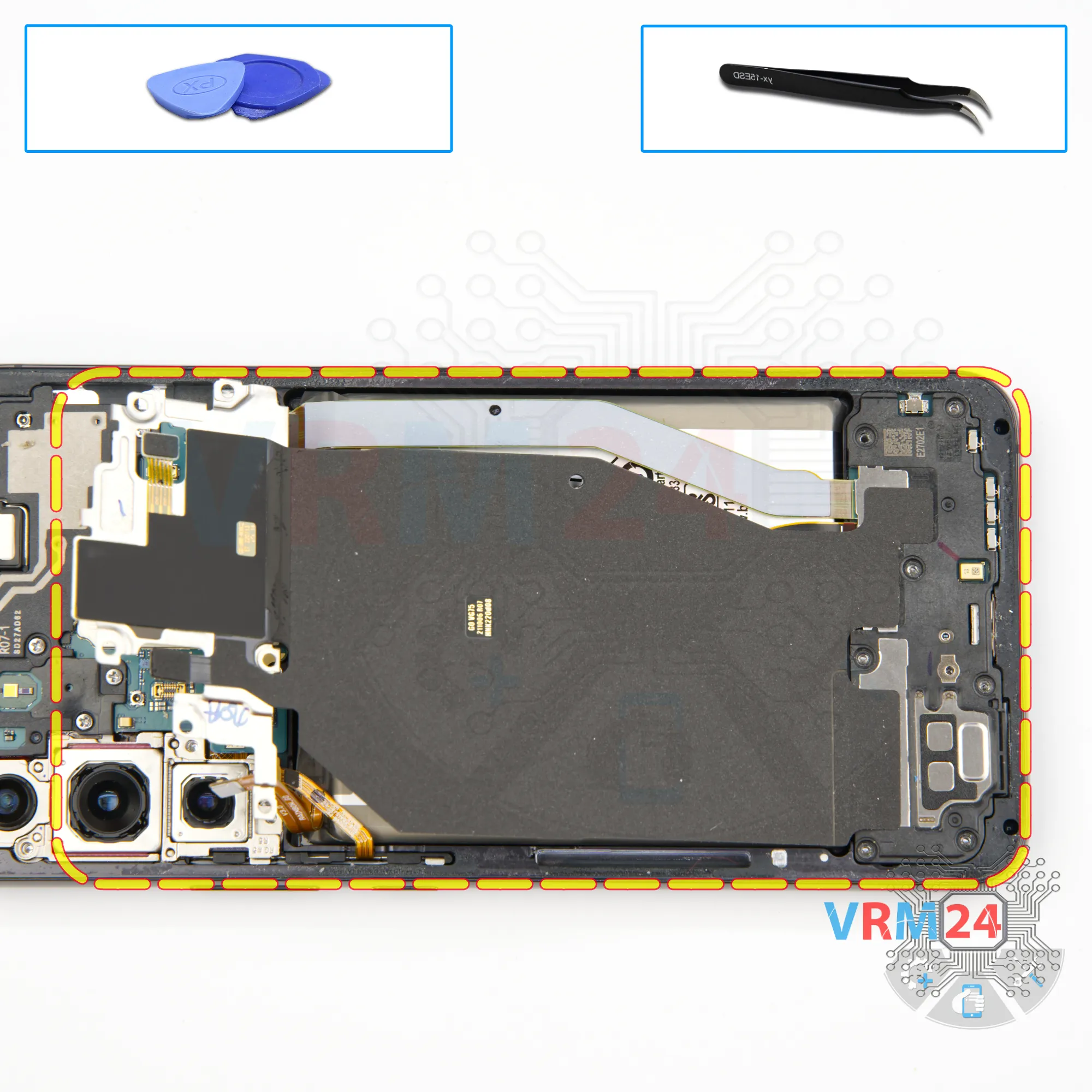
Remove the loudspeaker
We detach the cover with the loudspeaker.
We find the right place to hook the cover and lift it off. And we can remove the assembly completely.
Step 10.
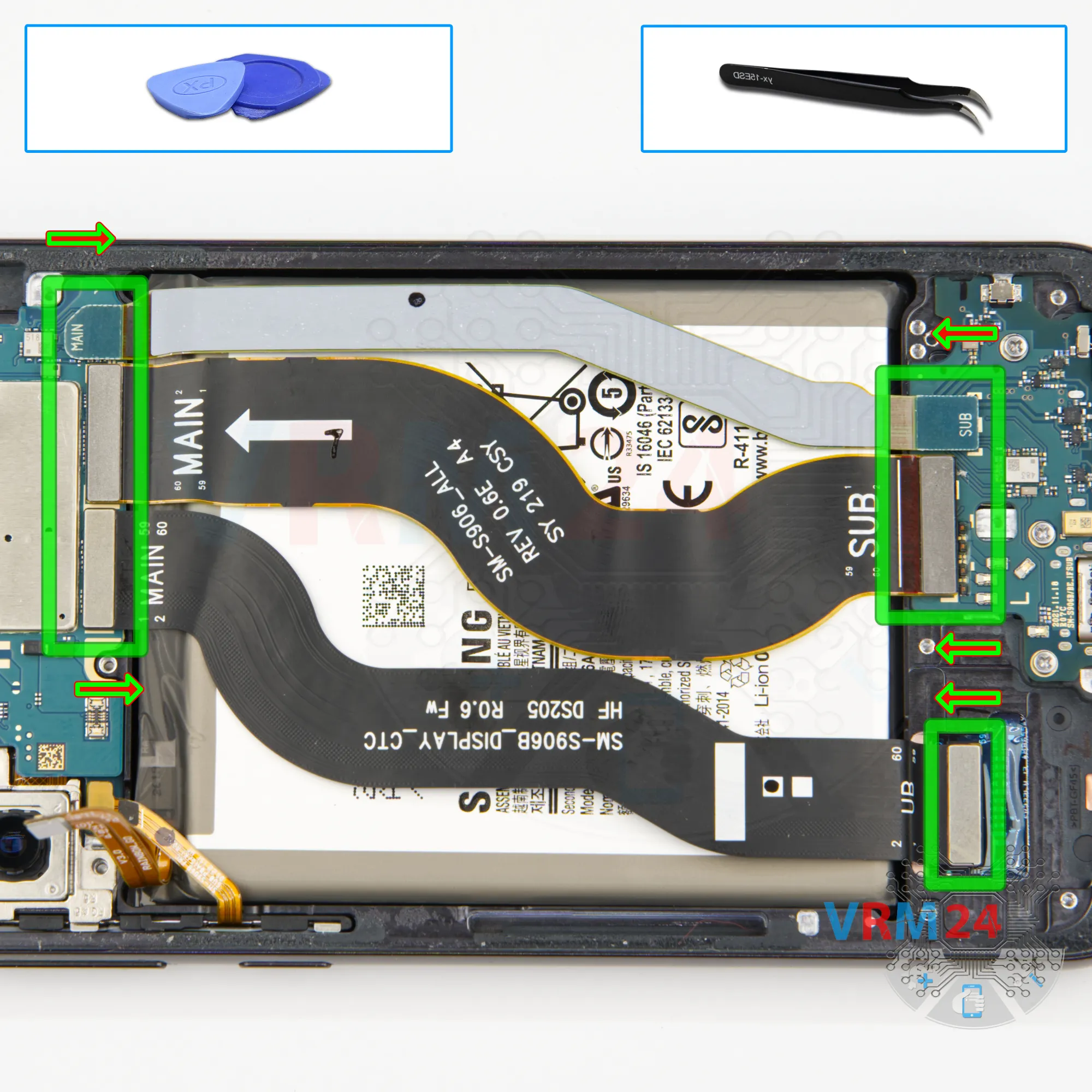
Remove the interconnect cables
We disconnect the connectors of the display cable, inter-board cable connector, second inter-board cable on the both boards.
Then we can remove cables away.
Step 11.
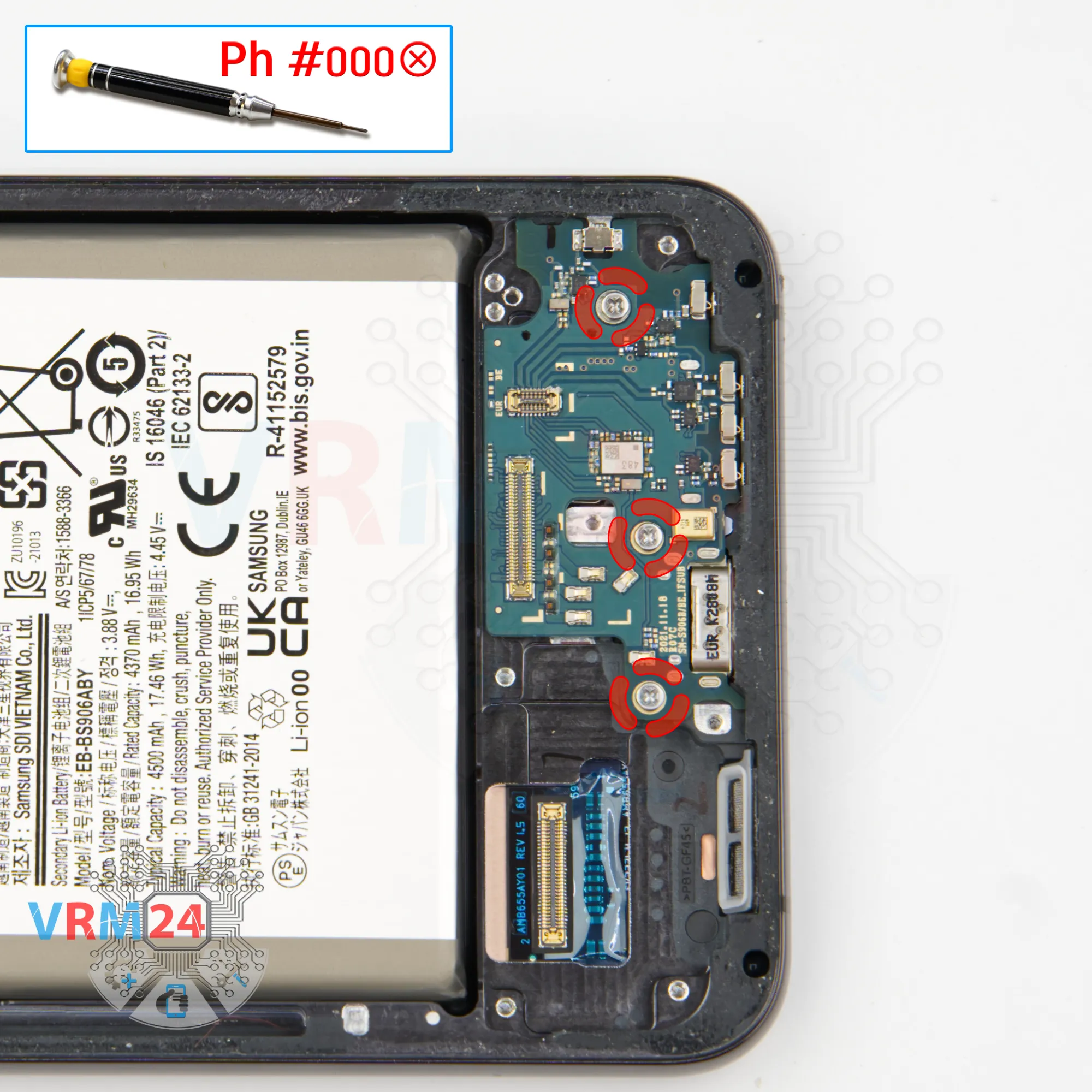
Unscrew the screws
Now we need to unscrew the three screws securing the sub-board.
The screwdriver is the same 1.5 mm Phillips screwdriver, but the screws may be different, so it is better to place them separately from the previous ones.
Step 12.
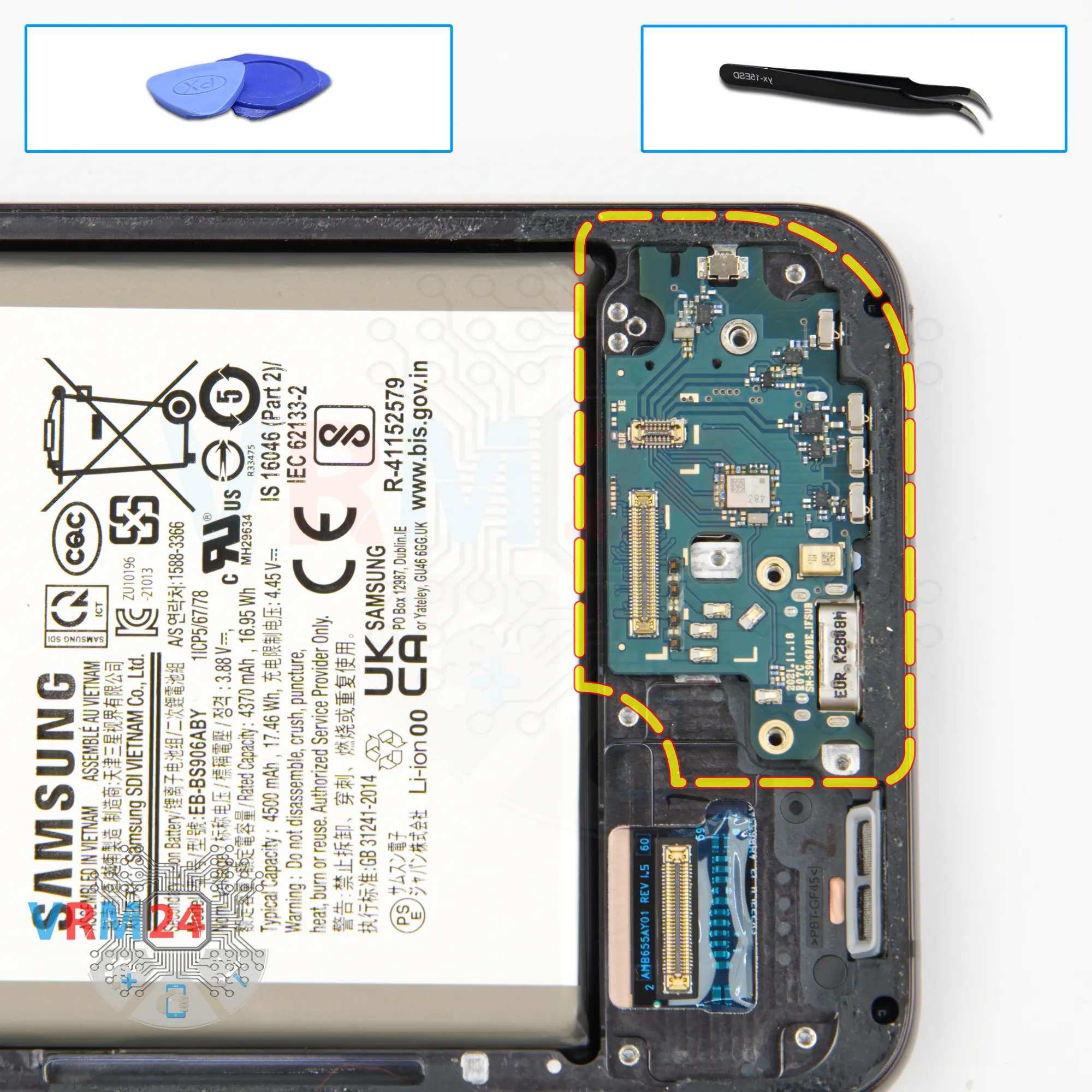
Remove the sub-board
We need to detach the sub-board. We use tweezers. We find the right place where we can hook and lift the sub-board. We have to be careful because the sub-board is recessed into the display frame.
On the sub-board we have the charging port, microphone and card holder on the back side.
Step 13.
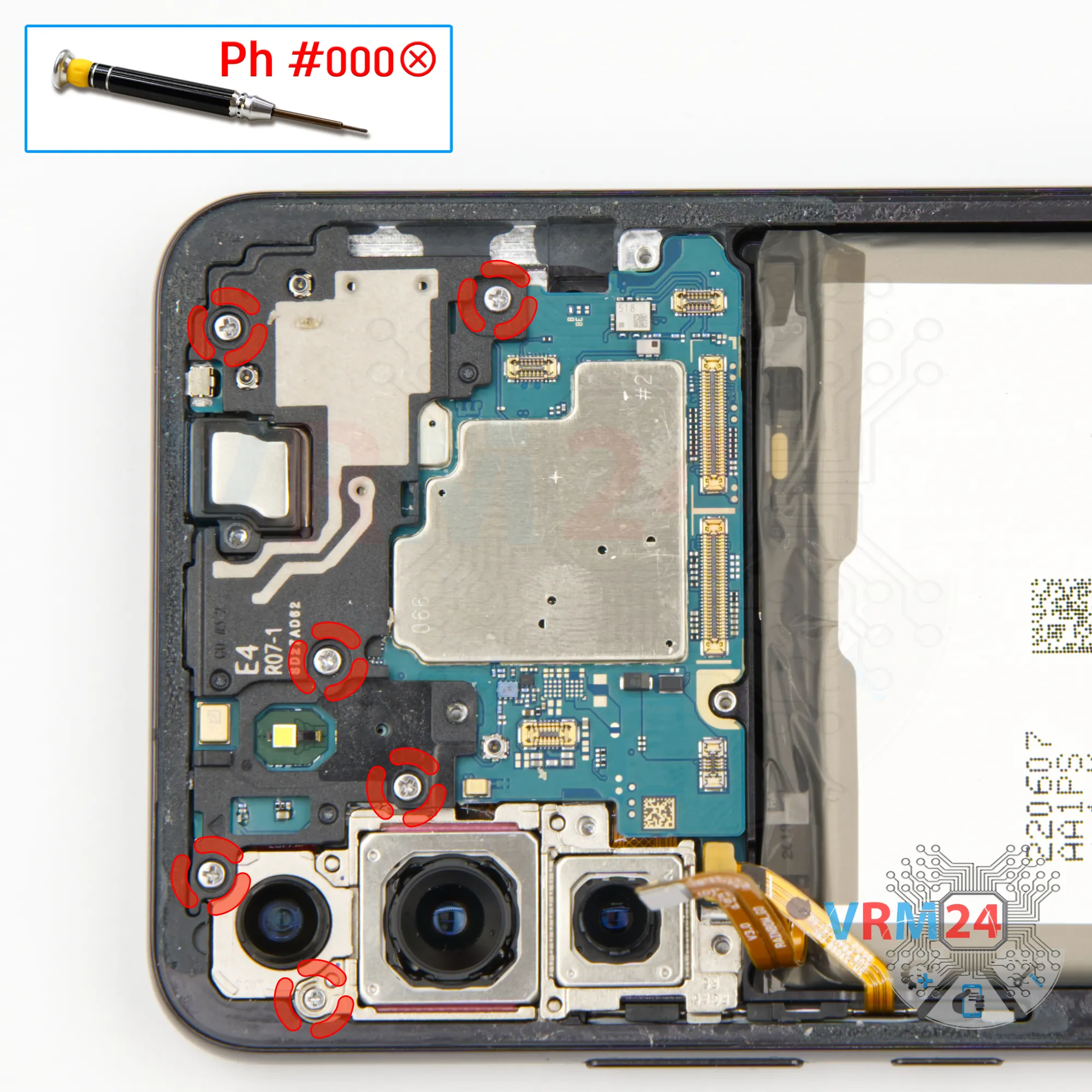
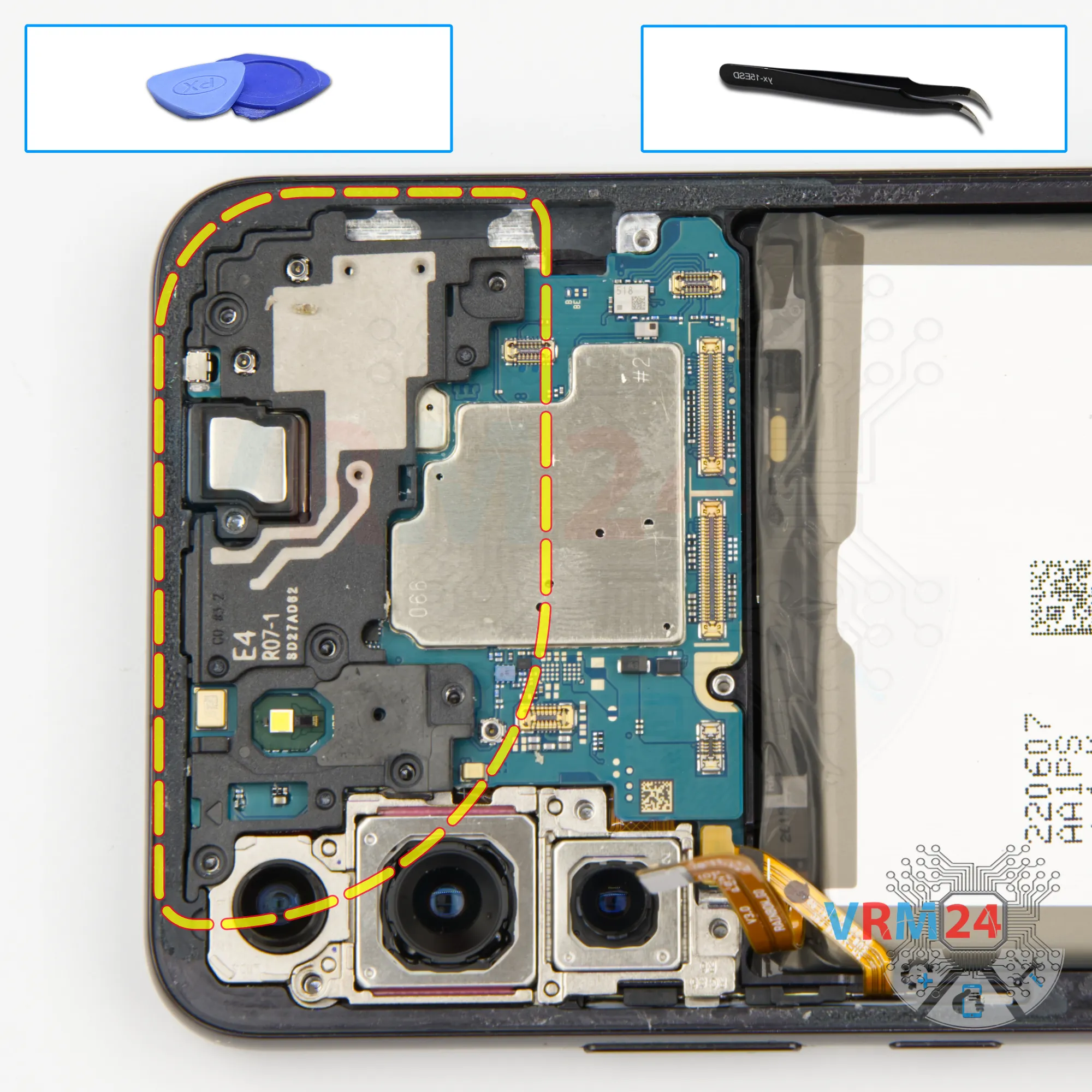
Unscrew the screws
Then we can proceed to unscrewing the six screws at the top. The screwdriver is the same 1.5 mm Phillips screwdriver.
The screws hold the cover with antenna transmission lines and the camera assembly.
Step 14.
Open the cover
After that we can detach the cover with antennas, hook on the edge in the right place and detach it.
Step 15.
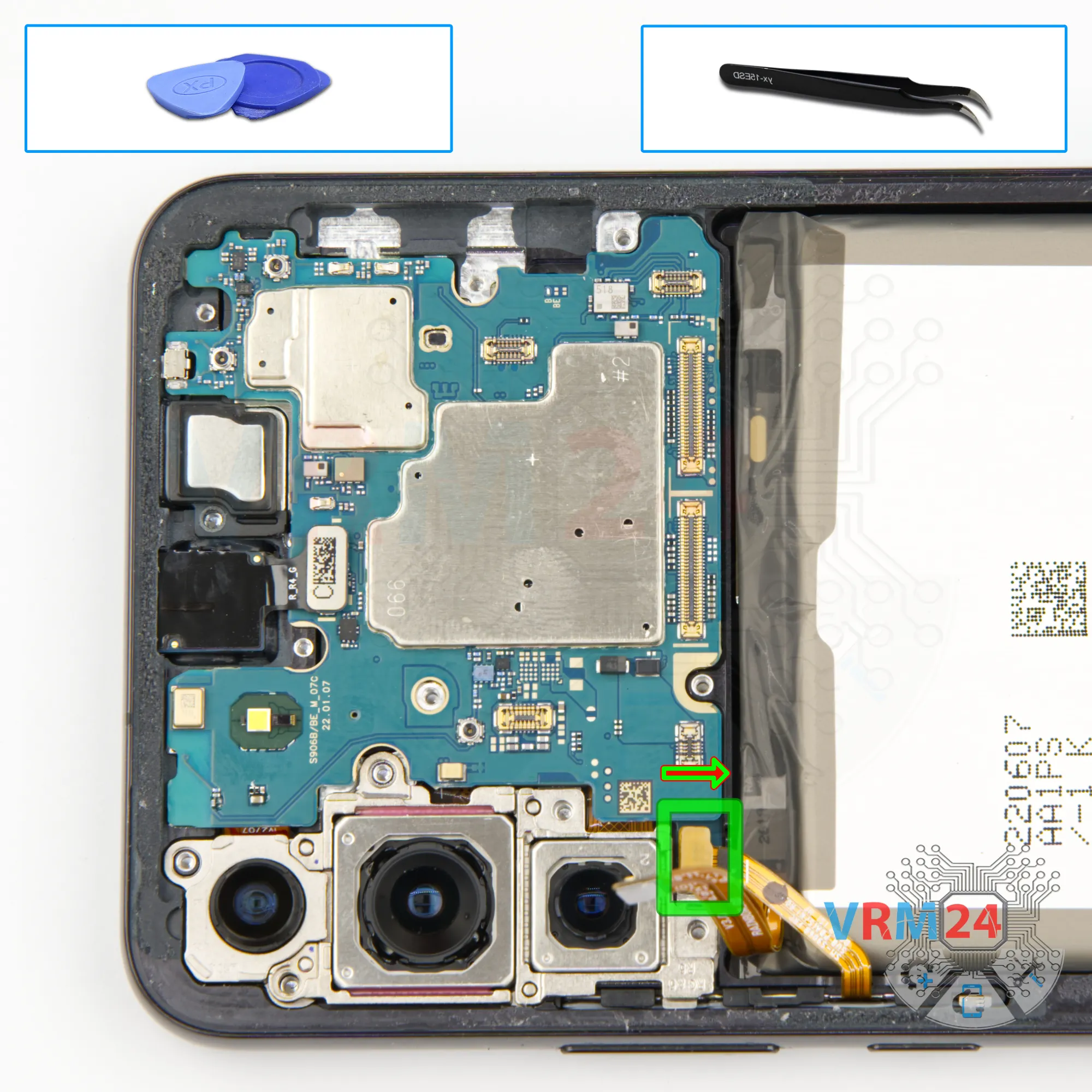
Disconnect the connector
We can disconnect the connector of the side buttons.
Step 16.
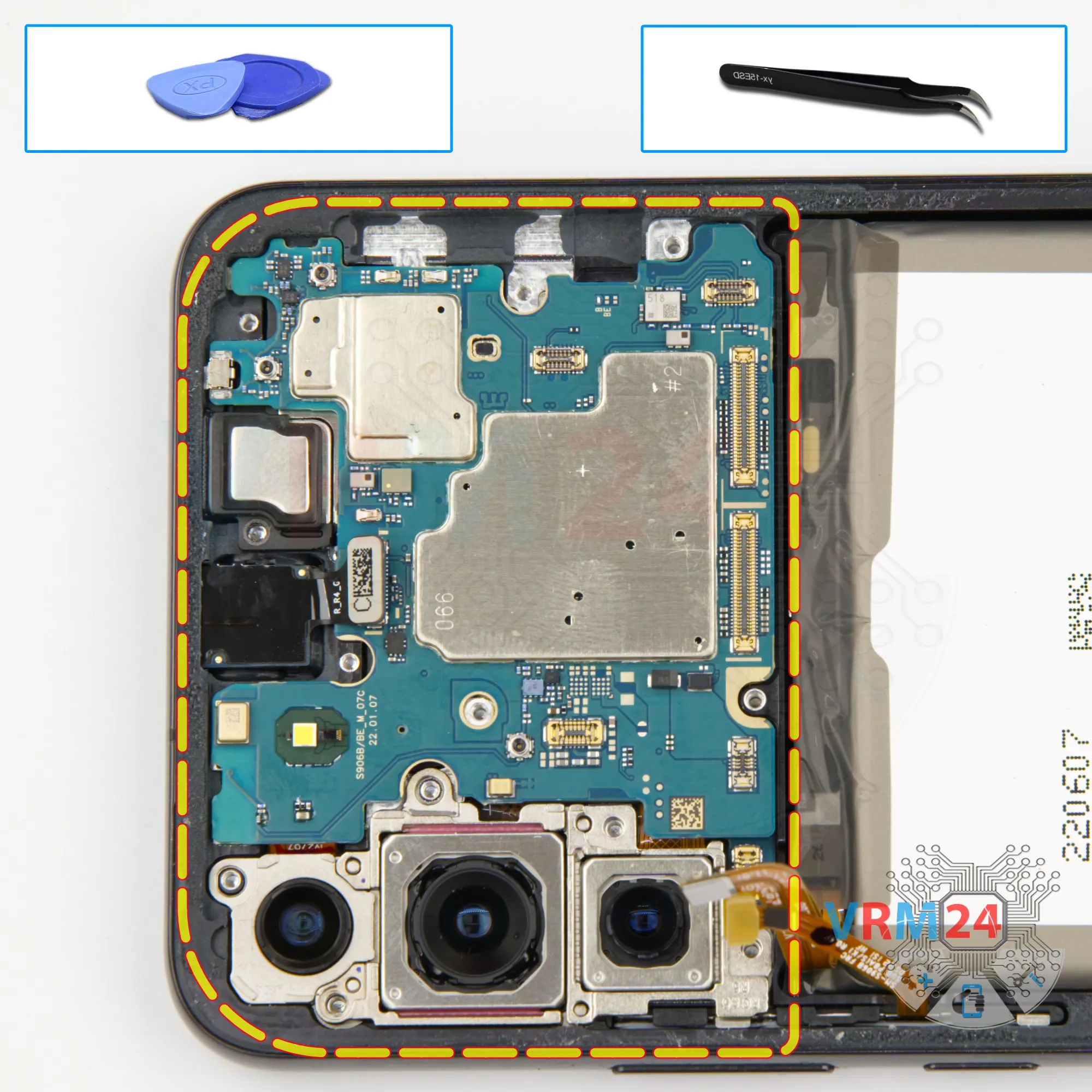
Remove the motherboard
Then we see that nothing is in our way and we can detach the motherboard. Carefully pry it up and remove it.
Step 17.
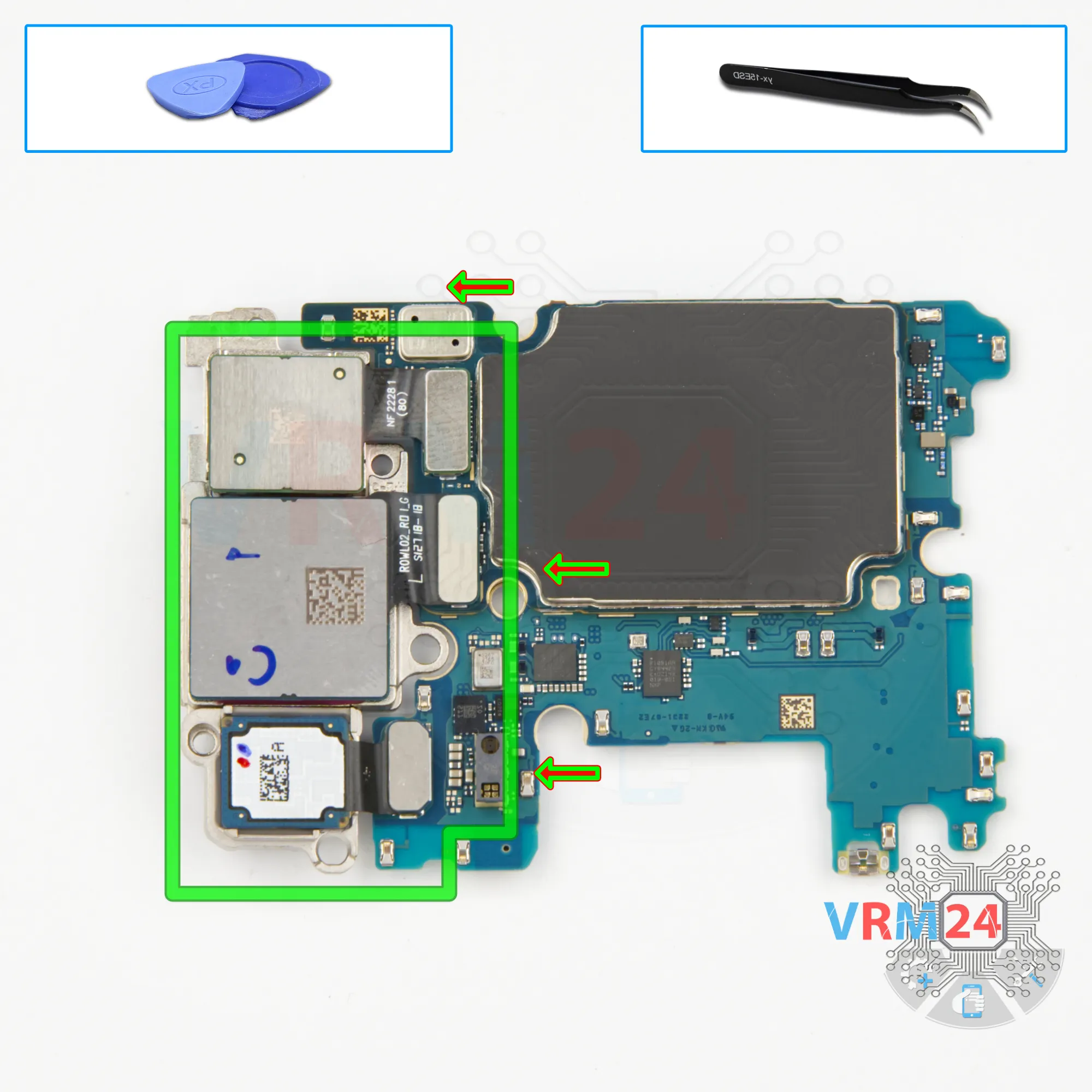
Remove the cameras
Now we need to detach the three rear cameras. The cameras are connected to each other, so we need to take that into account and be careful.
Step 18.
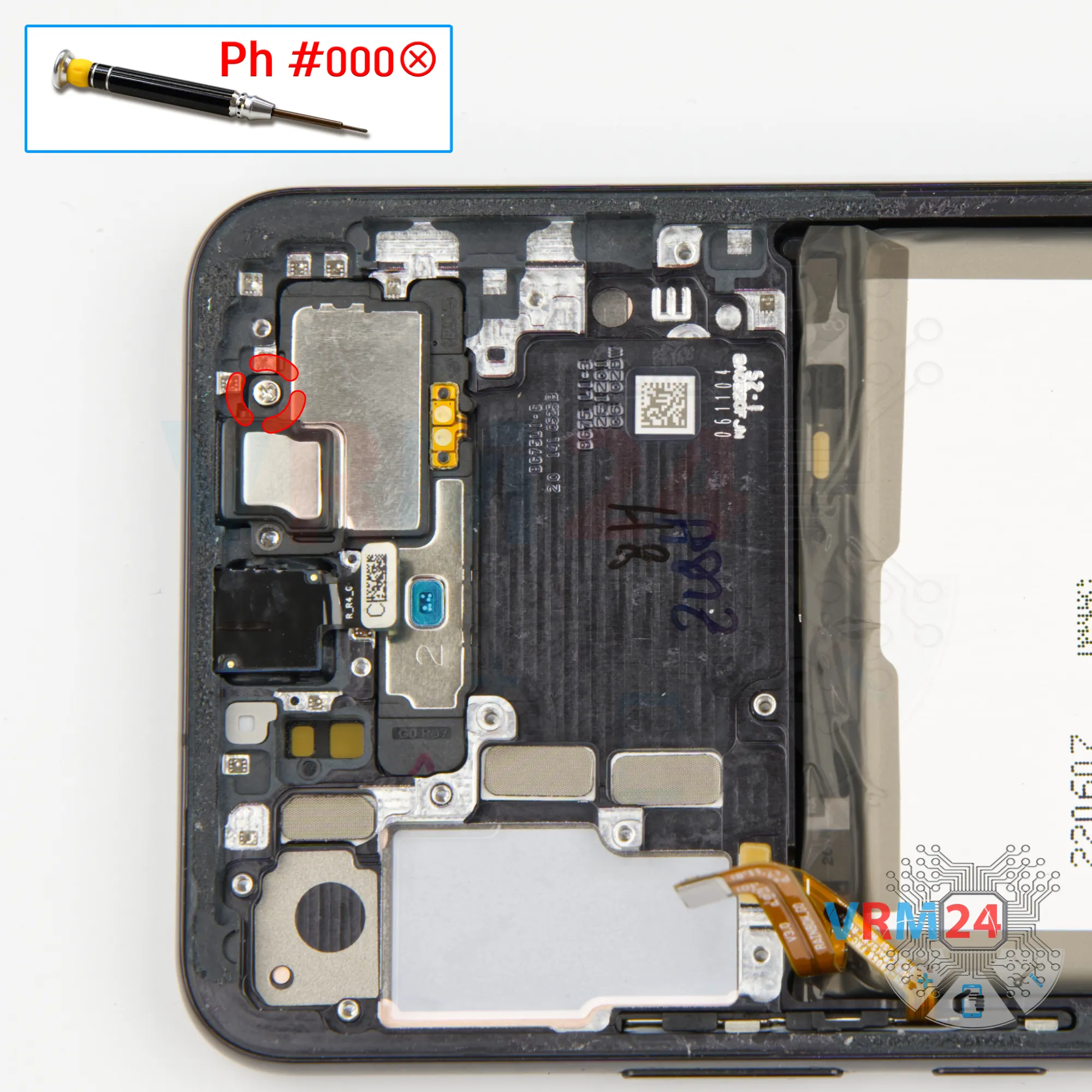
Unscrew one screw
We unscrew one screw that secure a speaker with a Phillips screwdriver 1.5 mm.
Step 19.
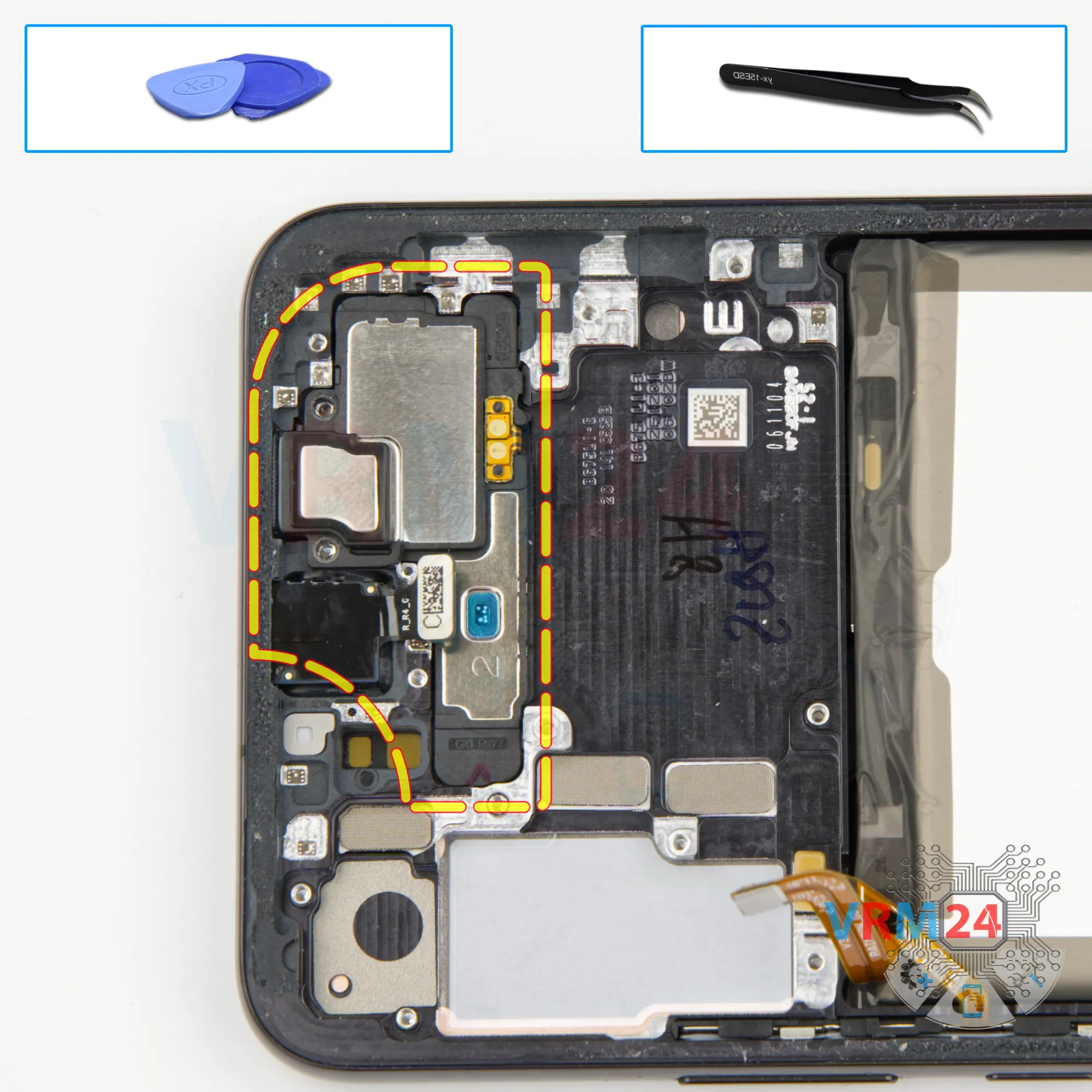
Remove the earpiece speaker
We need to find a place where we can pry up and remove the earpiece speaker.
Step 20.
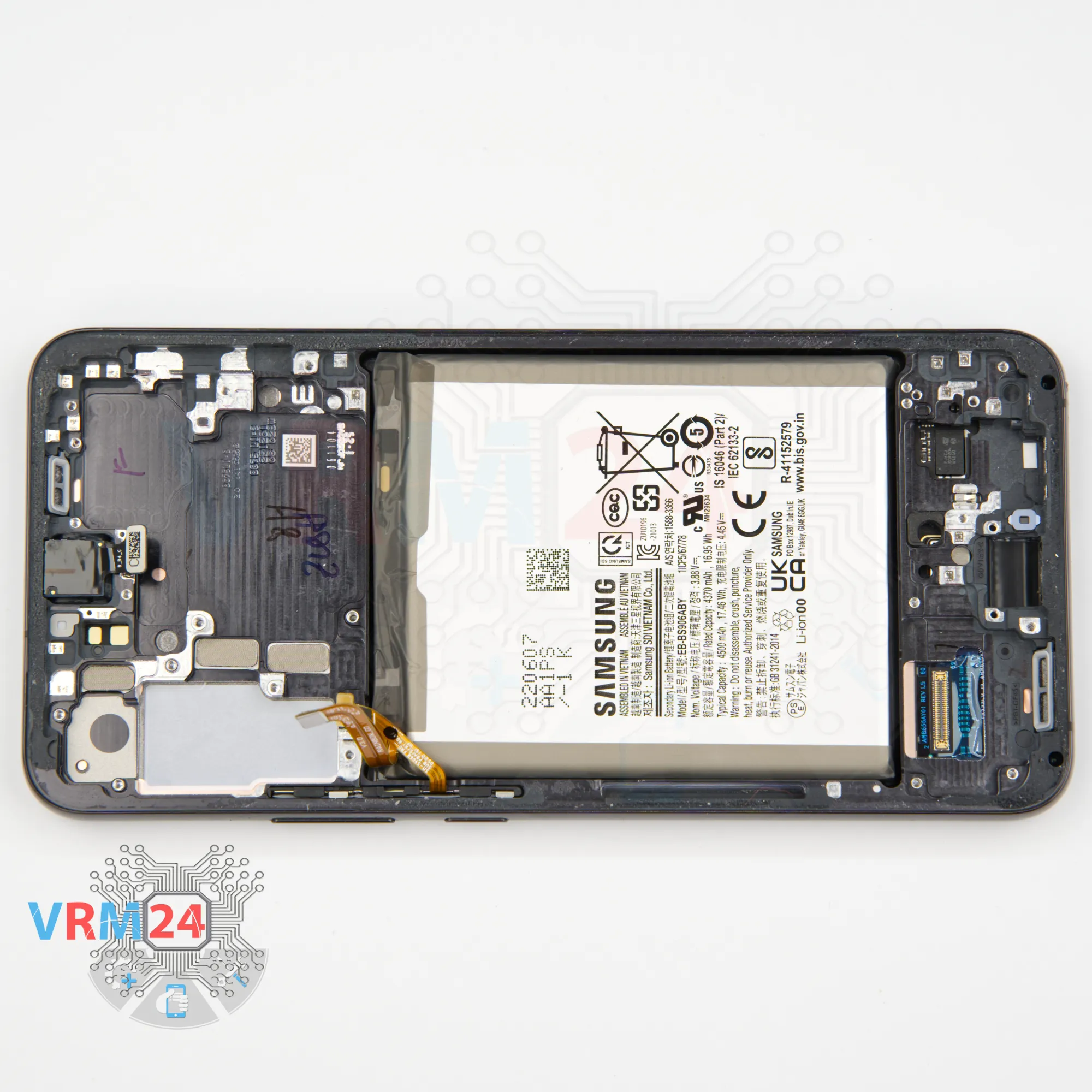
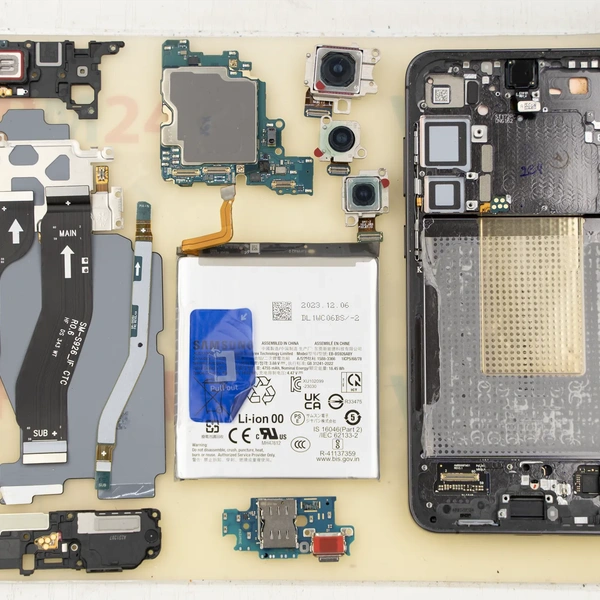
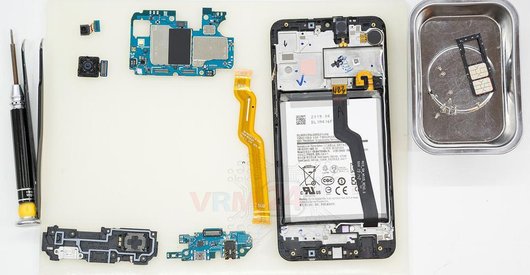
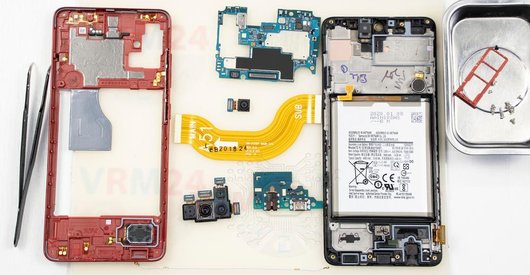
In the display frame remained
ℹ️ In the display frame remained: the front camera.

If you have a question, ask us, and we will try to answer in as much detail as possible. If this article was helpful for you, please rate it.

4695
Views
0
Likes
—
Share
0
Questions
Related Instructions
Related Reviews
Related Blog

Top instructions
Check our
Top Samsung instructions most liked by readers
New instructions
Check our
New Samsung brand instructions on vrm24.com